Keep your trip together
See your next adventure by date and each day’s plans in the destination’s time zone. Keep documents, addresses and emergency contacts in your offline Travel Capsule, with a Plan B for a change of plans.

 NIQORA TravelApple review
The weekend away, the big holiday and every detail in between. Keep trips, bookings, packing and budgets together, with an offline Travel Capsule and selected plans shared through Circle. Travel 1.0.0 is awaiting Apple review for a free UK iPhone launch.
FROM FIRST PLAN TO READY TO GO
From the first idea to the day itself, explore the submitted iPhone app’s trip plans, offline Capsule, packing and chosen Circle sharing.
See your next adventure by date and each day’s plans in the destination’s time zone. Keep documents, addresses and emergency contacts in your offline Travel Capsule, with a Plan B for a change of plans.
Smart packing suggests a list for your trip, its length and your travellers. Trip Ready keeps preparation tasks and progress in view, with optional local reminders.
Open Circle from each trip and review selected itinerary and preparation details before sharing. Keep personal budgets, packing, private notes and booking references separate.
INSIDE NIQORA TRAVEL
Ten genuine iPhone screenshots supplied during launch testing. Travel 1.0.0 is awaiting Apple review for a free UK iPhone launch. Some Settings details may differ in the release version; the app is not publicly available yet.
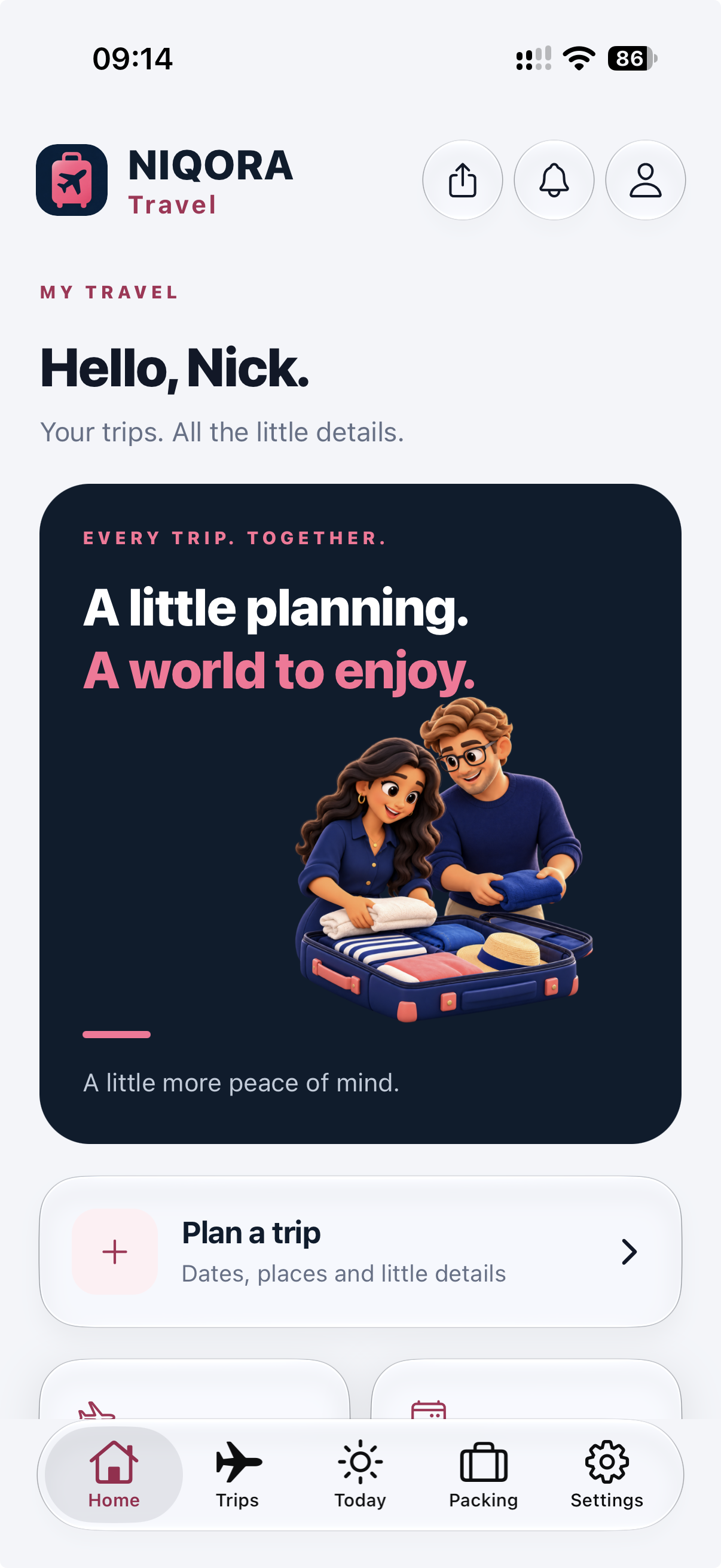
Your travel home
Start a trip, keep your next adventure in view and find the details you need before you go.
View full screen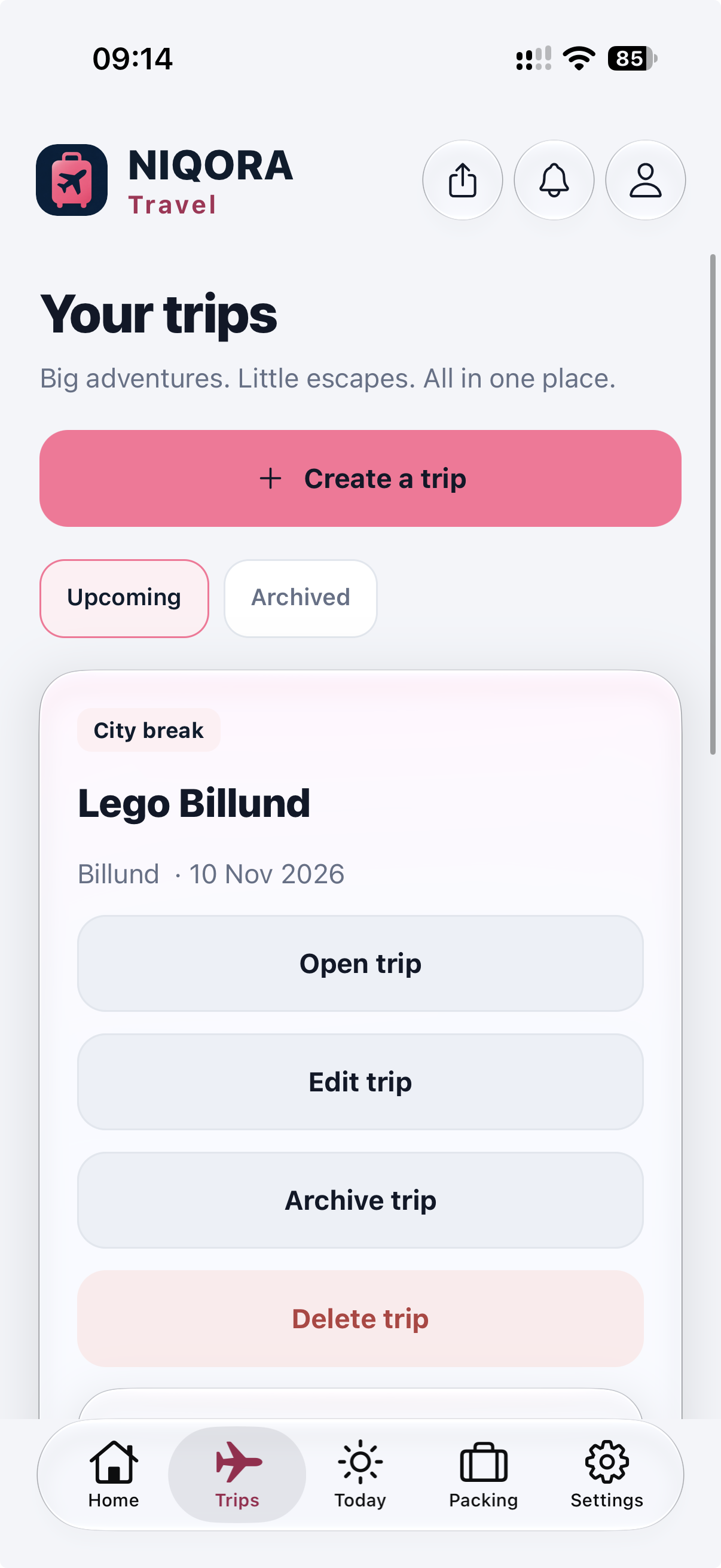
Your trips
Keep upcoming trips together, with destinations and dates, and return to past plans in your archive.
View full screen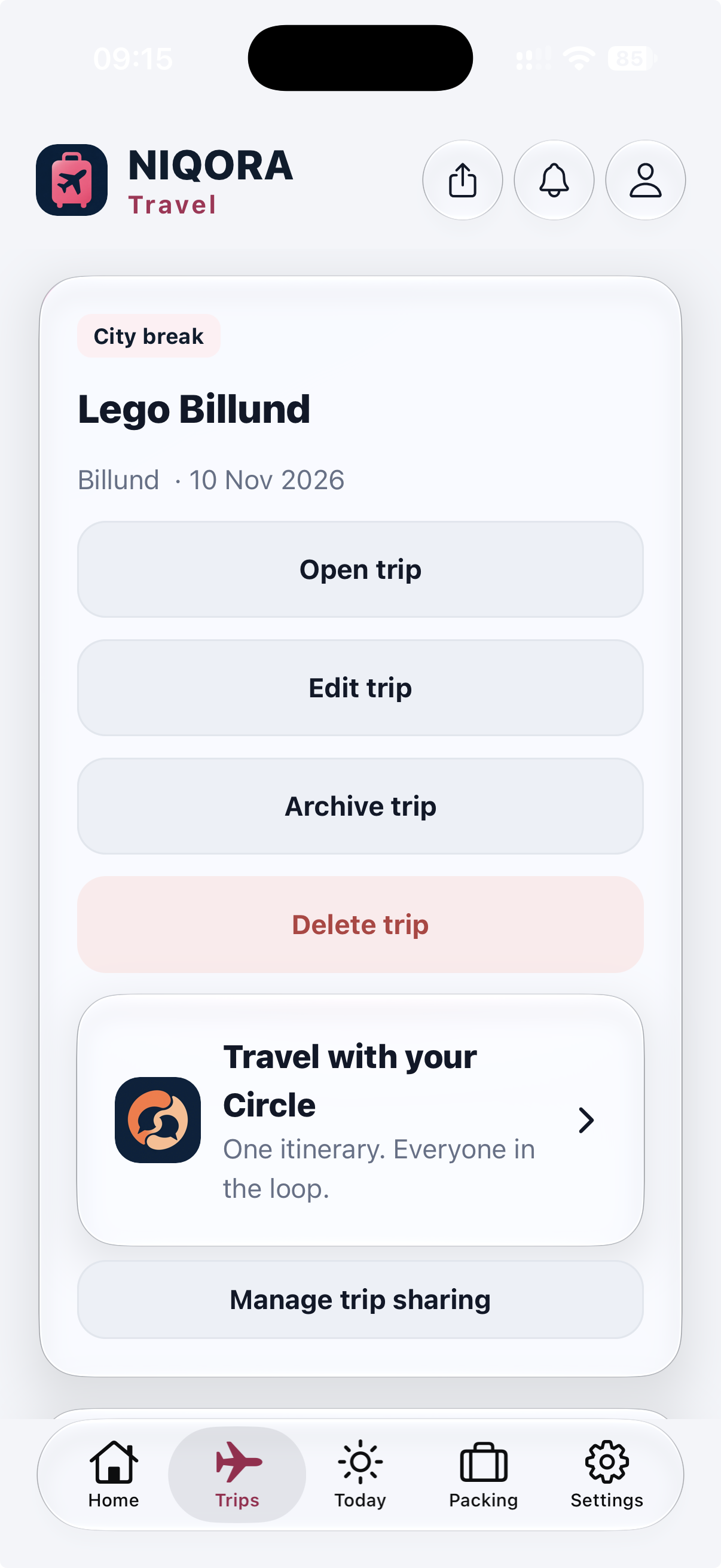
Travel with your Circle
Open Circle from the trip itself and choose the plans and preparation tasks you want to share.
View full screen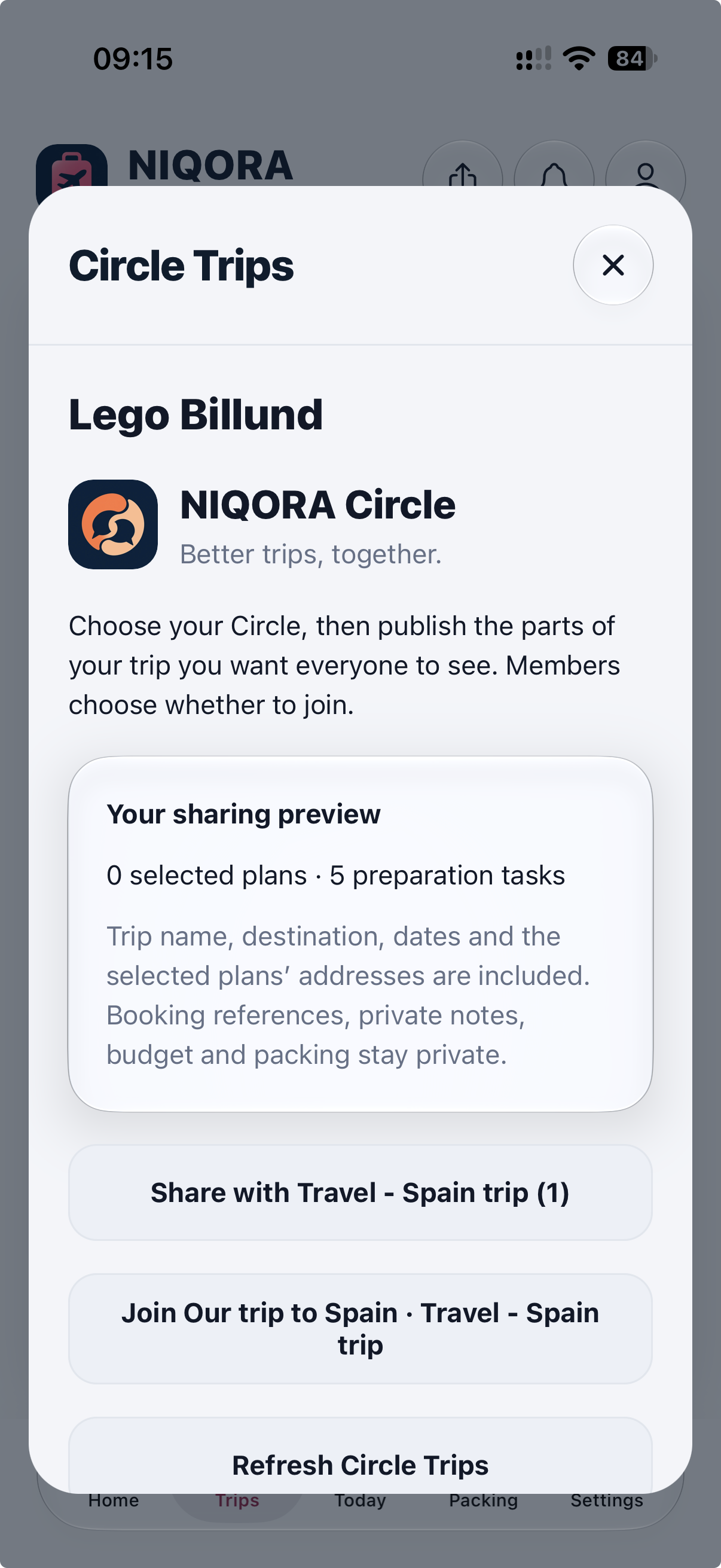
Choose what to share
Review a sharing preview before publishing to your private Circle. Booking references, private notes, personal budgets and packing stay private.
View full screen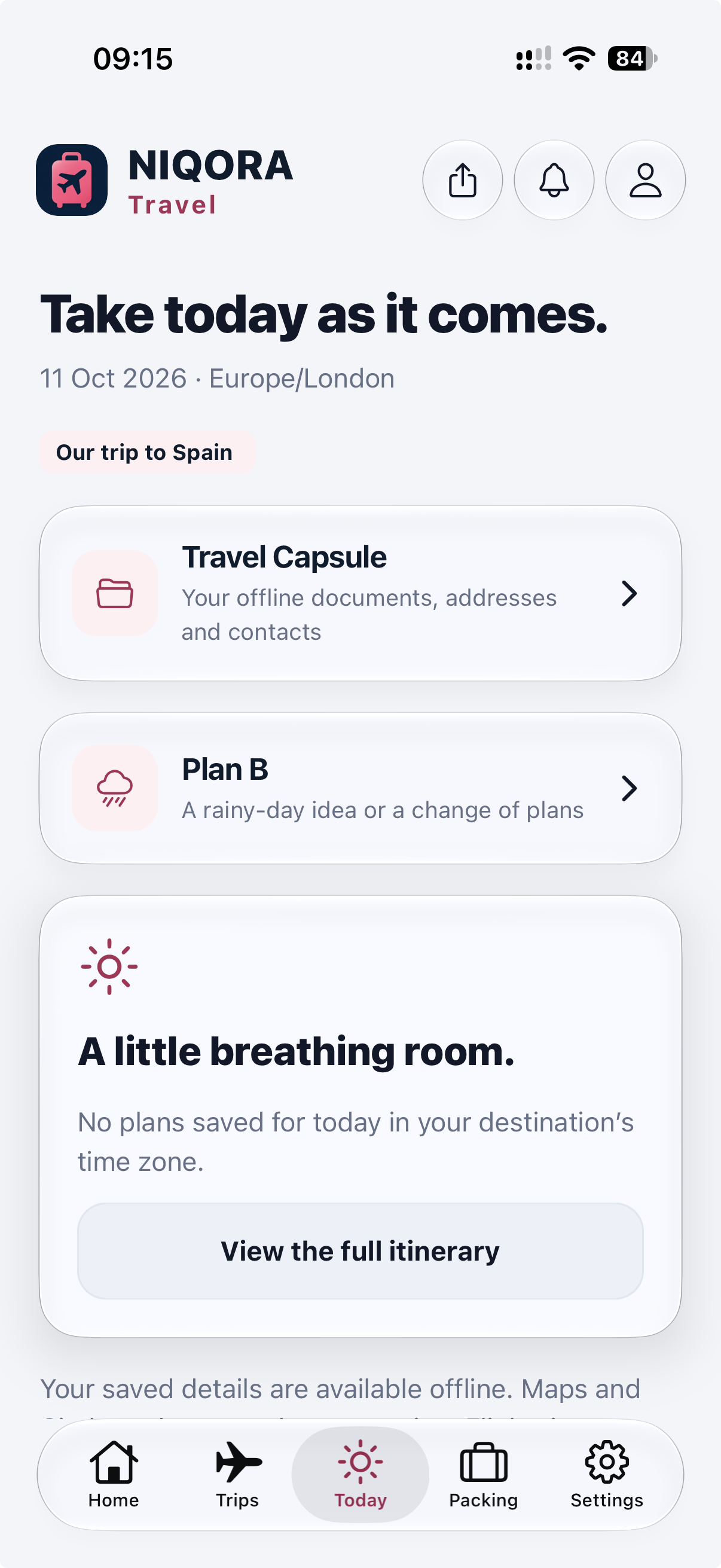
Today, wherever you are
See your itinerary in the destination’s time zone, open your offline Travel Capsule or keep a Plan B ready.
View full screen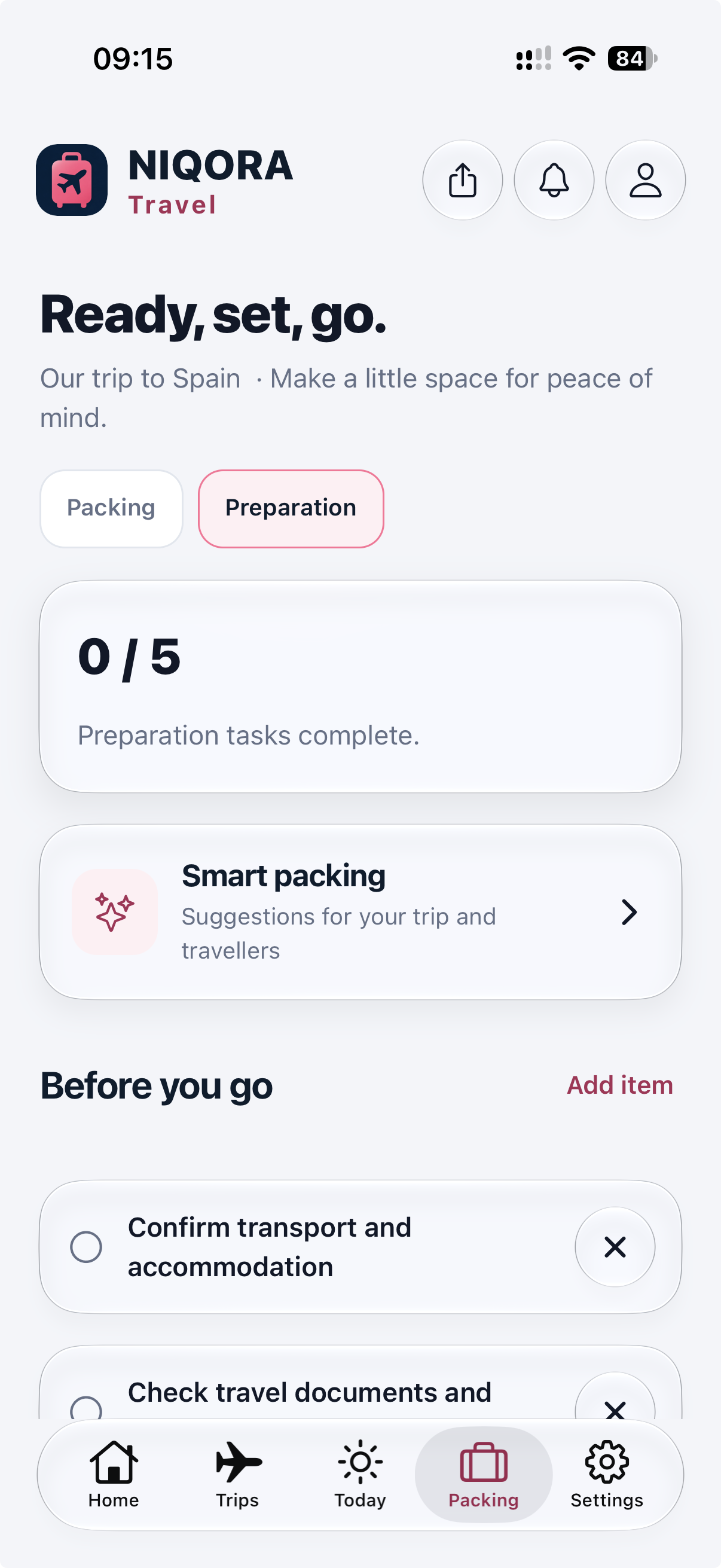
Packing and preparation
Use suggested packing lists and a preparation checklist to keep track of the things still to sort.
View full screen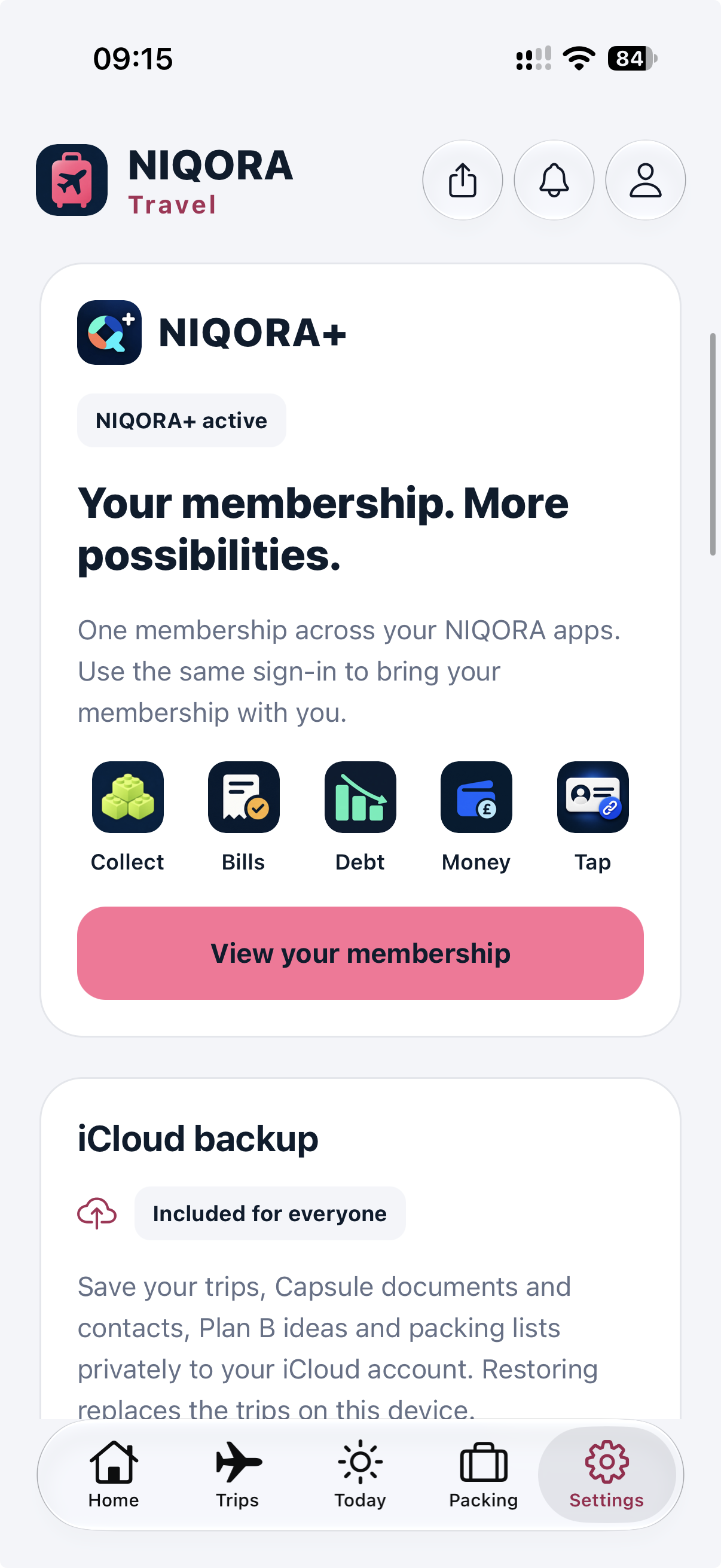
Your NIQORA+ membership
Recognise your existing membership with the same NIQORA login. Trip planning and private iCloud backup need no paid membership.
View full screen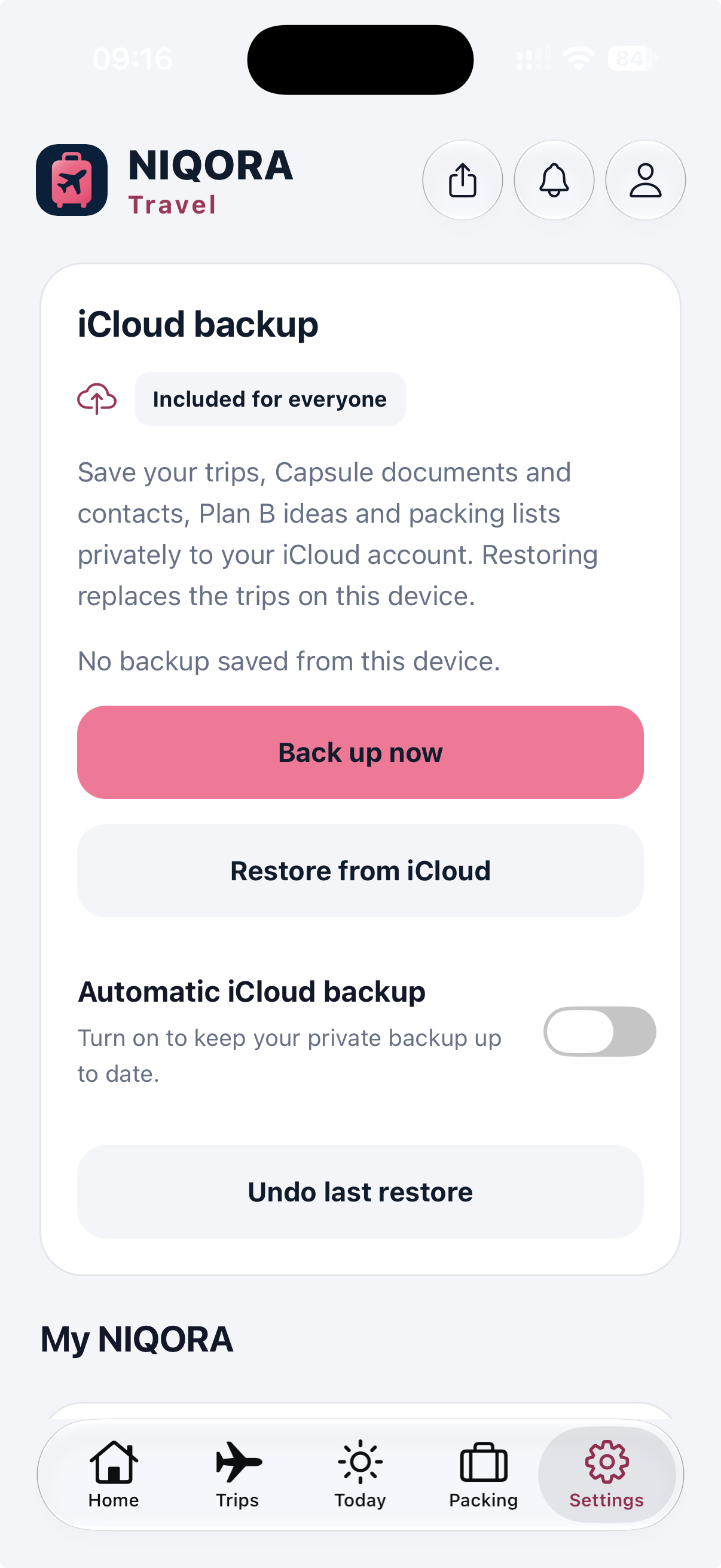
Private iCloud backup
Back up trips, Capsule documents, contacts, Plan B ideas and packing lists to your own iCloud. Optional automatic backups run while Travel is open and unlocked.
View full screen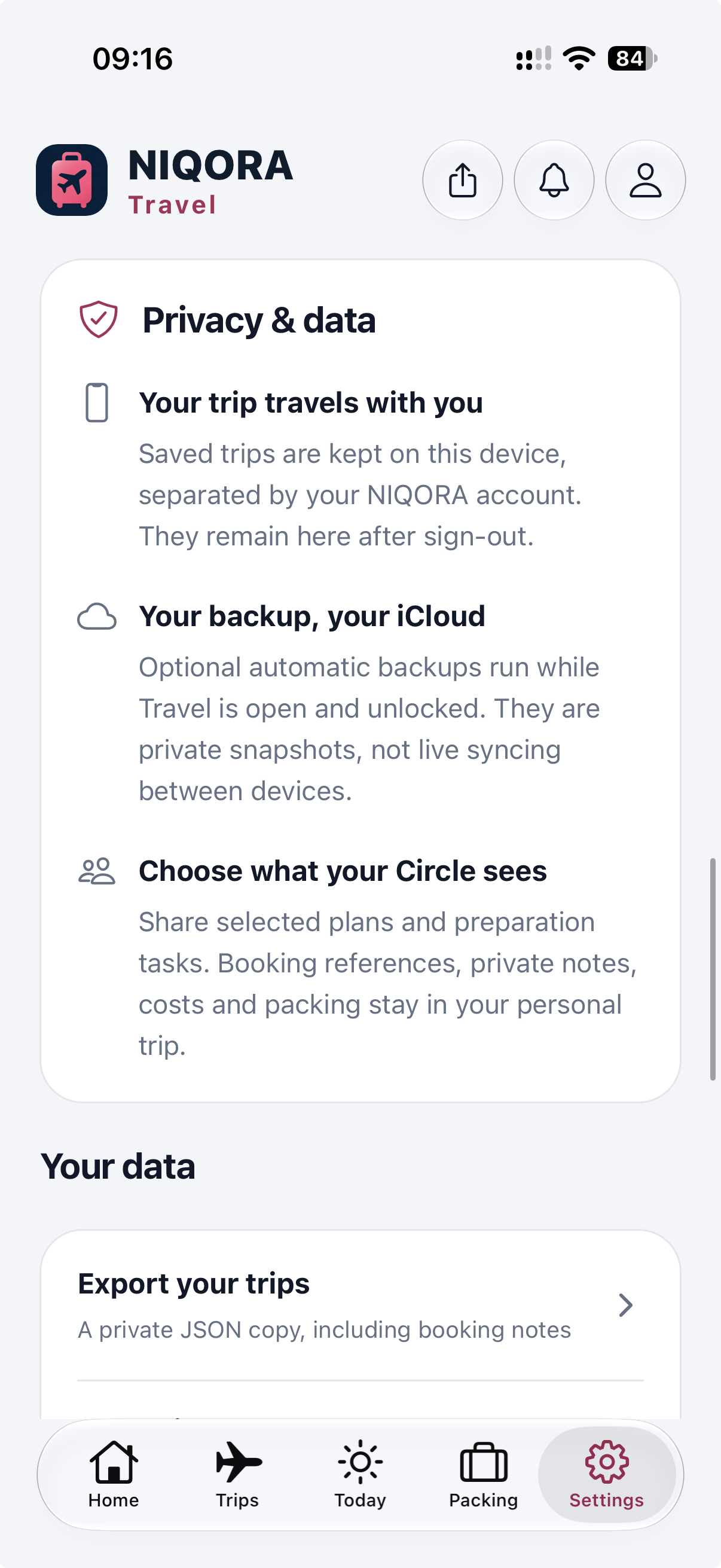
Privacy and your data
Manage your export and local records, and choose what your Circle sees. Private documents and personal travel details stay separate from shared plans.
View full screen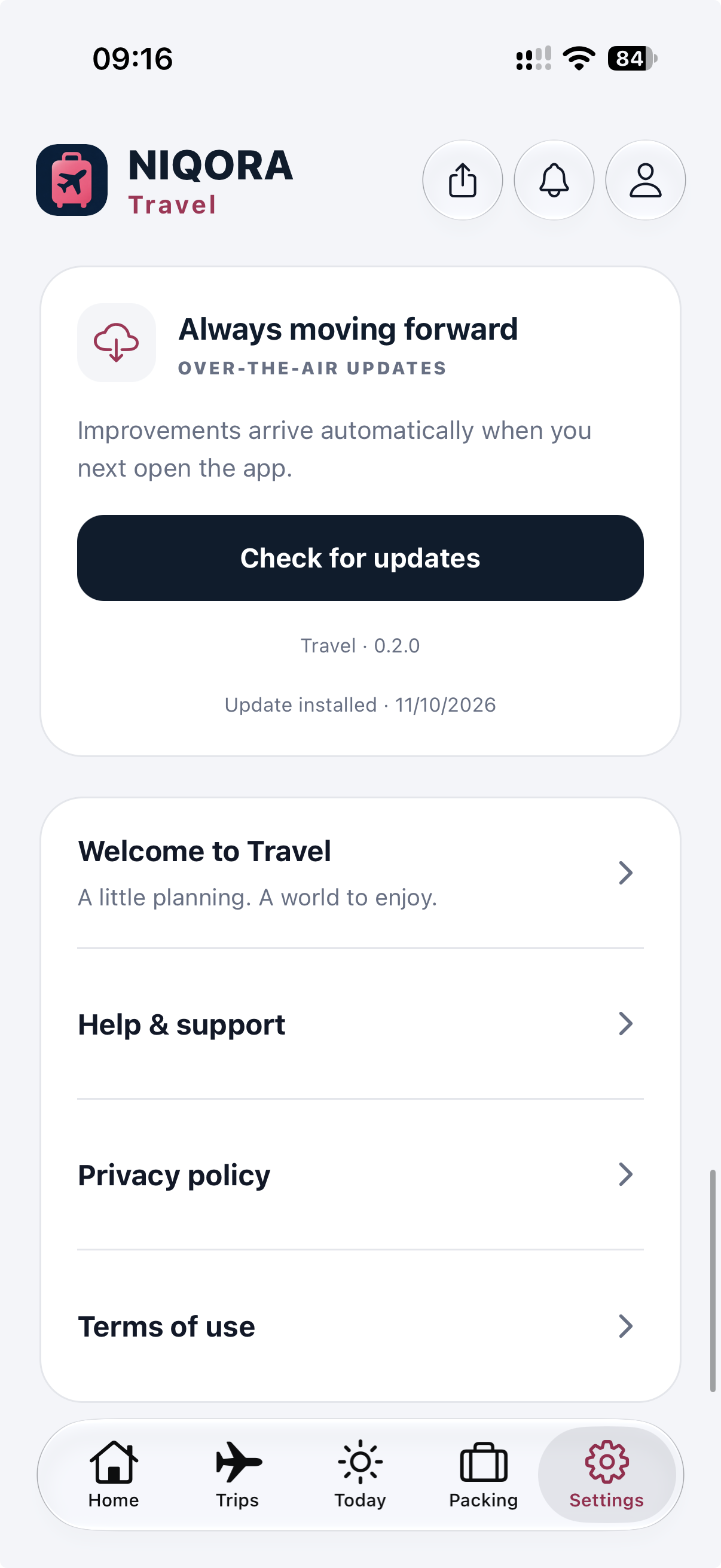
Help and app updates
Find support and legal information, and check for compatible updates in Settings. Larger changes still arrive through the App Store.
View full screenFAMILIAR TOGETHER
Use your NIQORA account with Apple, Google or email sign-in. Trip planning, packing, budgets, Face ID and optional private iCloud backup need no paid membership in this submitted version. Existing NIQORA+ members use the same account. Open the NIQORA+ companion from Settings when installed, or explore its website. Travel is awaiting Apple review for a free UK iPhone launch.
Explore NIQORA+Travel 1.0.0 (3) was submitted to Apple on 11 October 2026 and is awaiting review. It is not publicly available yet. The first release will be free, for iPhone in the UK, after Apple approval and release. Join its launch list for updates.
Keep boarding passes, booking PDFs, addresses and emergency contacts available offline on your iPhone. Document text recognition runs on the device; review suggestions before saving. Maps and external provider links may need internet access.
Open Circle from the card under your trip in Trips. Choose your private Circle and preview the itinerary and preparation tasks you want to publish; members choose whether to join. Booking references, private notes, packing and personal budgets are excluded. A separately chosen shared expense ledger is visible to its participants. Circle also offers blocking and reporting controls.
Smart packing suggests a checklist for your trip type, duration and travellers. Trip Ready shows preparation progress and the next task to sort. Save alternative ideas in Plan B and choose when to move one into your itinerary. Reminders are optional and scheduled locally.
No. This submitted version includes trip planning, packing, budgets, Circle trip tools and optional private iCloud backup without paid membership. Travel can recognise an existing NIQORA+ membership with the same account. If the companion is installed, Settings can open it; otherwise you can explore NIQORA+ on the website.
Manage backup and restore in Travel’s Settings. Optional automatic backup saves changes while Travel is open and unlocked. Restore needs the same NIQORA account and access to your iCloud. Check the latest completed backup before changing phones. This is backup and restore, not live device sync; My NIQORA cannot read your trips or backups.
Travel organises information you add. Make reservations with your chosen provider. Budgets, expenses and splits help you record costs; they do not connect to your bank or transfer money.
Compatible versions can receive over-the-air fixes and refinements. Follow any restart prompt to apply them. Larger native changes still require an App Store update.
Free to join. Only your chosen apps. Unsubscribe anytime.