Your details, together
Keep your name, business, role, phone, email, website and social links on your card.

 NIQORA TapApple review
Your digital business card, made personal. Bring your details together and share them when the next conversation starts.
Tap 1.1.0 is submitted to Apple. Public downloads will follow after approval and release.
ONE LESS THING TO REMEMBER
Turn on Automatic iCloud backup in a supported iPhone version of NIQORA Tap. Changes save to your own iCloud while the app is open and unlocked. You stay in control of backup and restore.
Requires a compatible app version and available iCloud storage. Check the latest completed backup in the app. App release availability is shown separately.
MADE FOR EVERYDAY LIFE
A focused app for the details you want people to remember. Built with the same care as NIQORA Debt and Bills.
Keep your name, business, role, phone, email, website and social links on your card.
Add your own logo and choose colours and a layout that suit your brand.
Show your contact QR code so someone can scan and save your selected details.
Share a contact file using your phone’s sharing options. Recipients do not need a NIQORA account.
Use your existing NIQORA sign-in. Tap keeps your cards separate from your Debt and Bills records.
Edit or delete your cards, choose what to share and use device authentication to lock the app.
THREE SMALL STEPS
Add your name, business and the contact details you want to include.
Choose your colours and layout, and add your logo.
Show your QR code or send a contact file using your phone’s share menu.
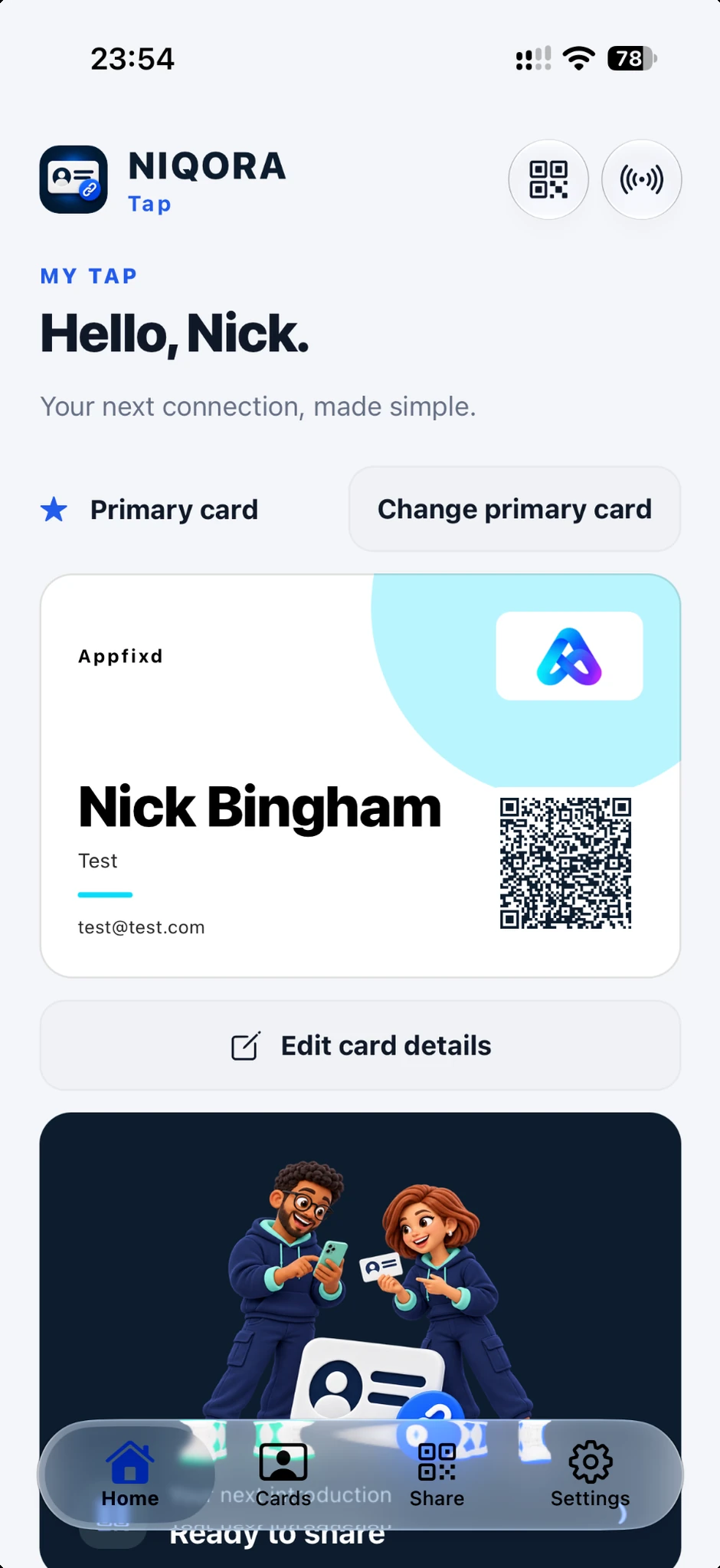
YOUR NEXT INTRODUCTION
Keep your digital business card close at hand, with your name, business and the contact details you choose to share.
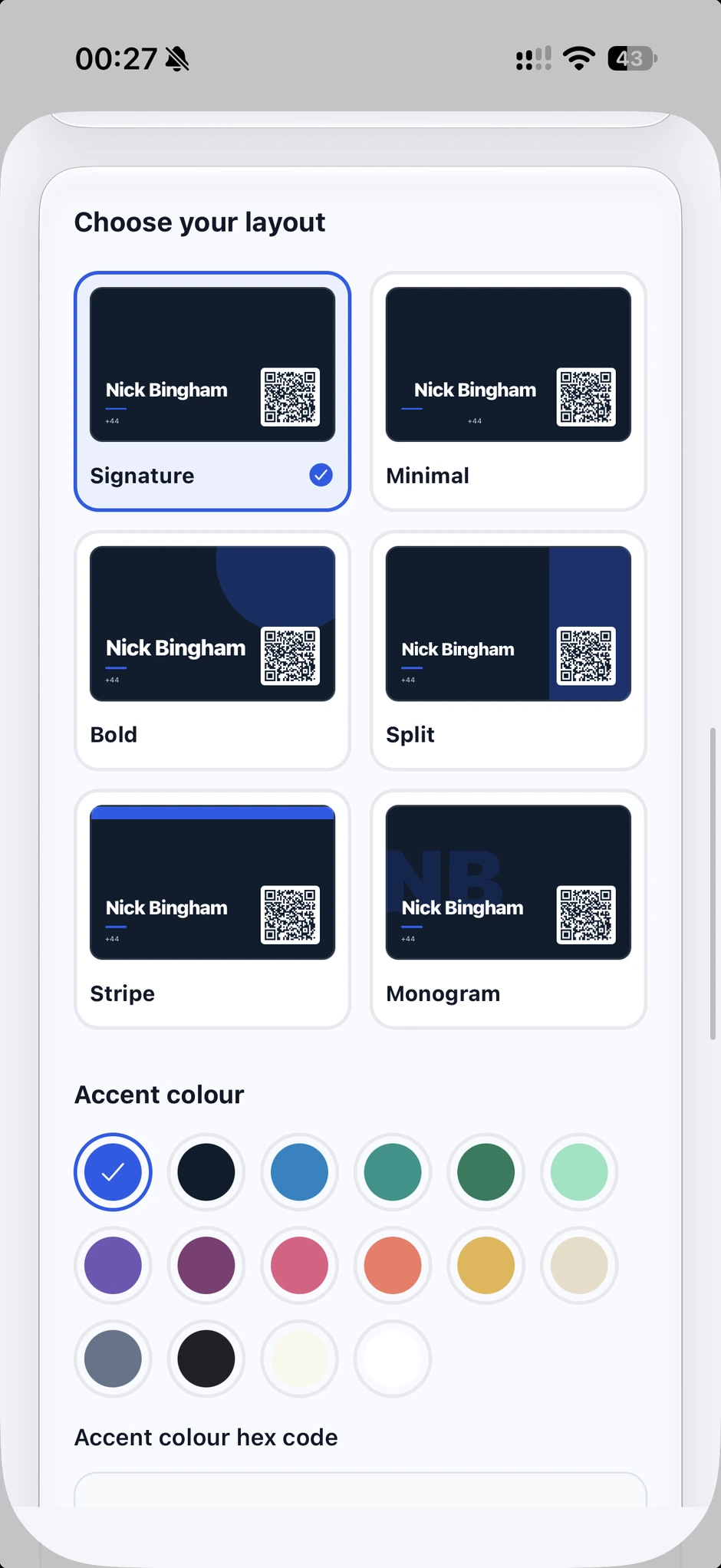
MAKE IT YOURS
Choose from six card layouts and personalise your accent colour. Preview the design before using it for your next introduction.
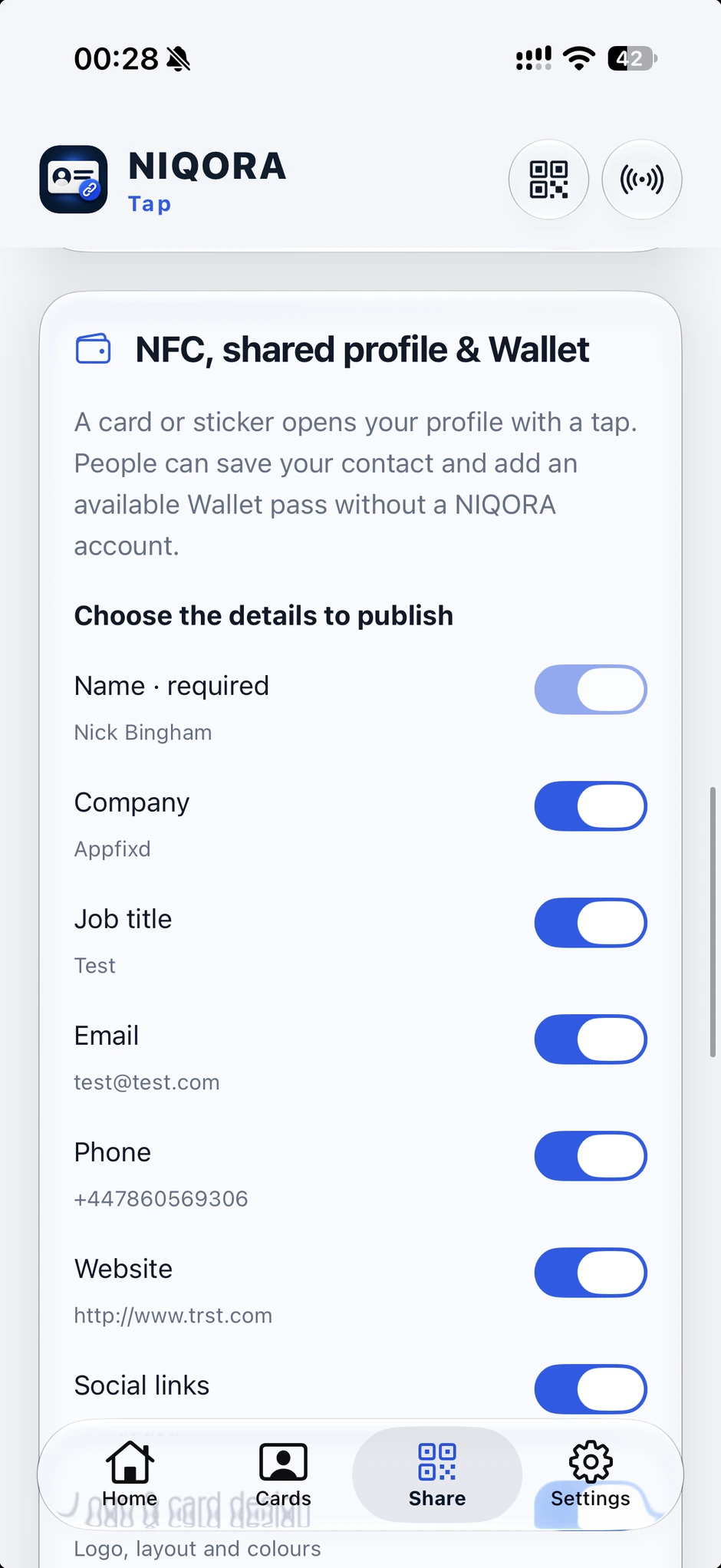
CHOOSE WHAT YOU SHARE
Choose which details appear on your published card. Share its link or use a compatible NFC card or sticker to open the profile with a tap.
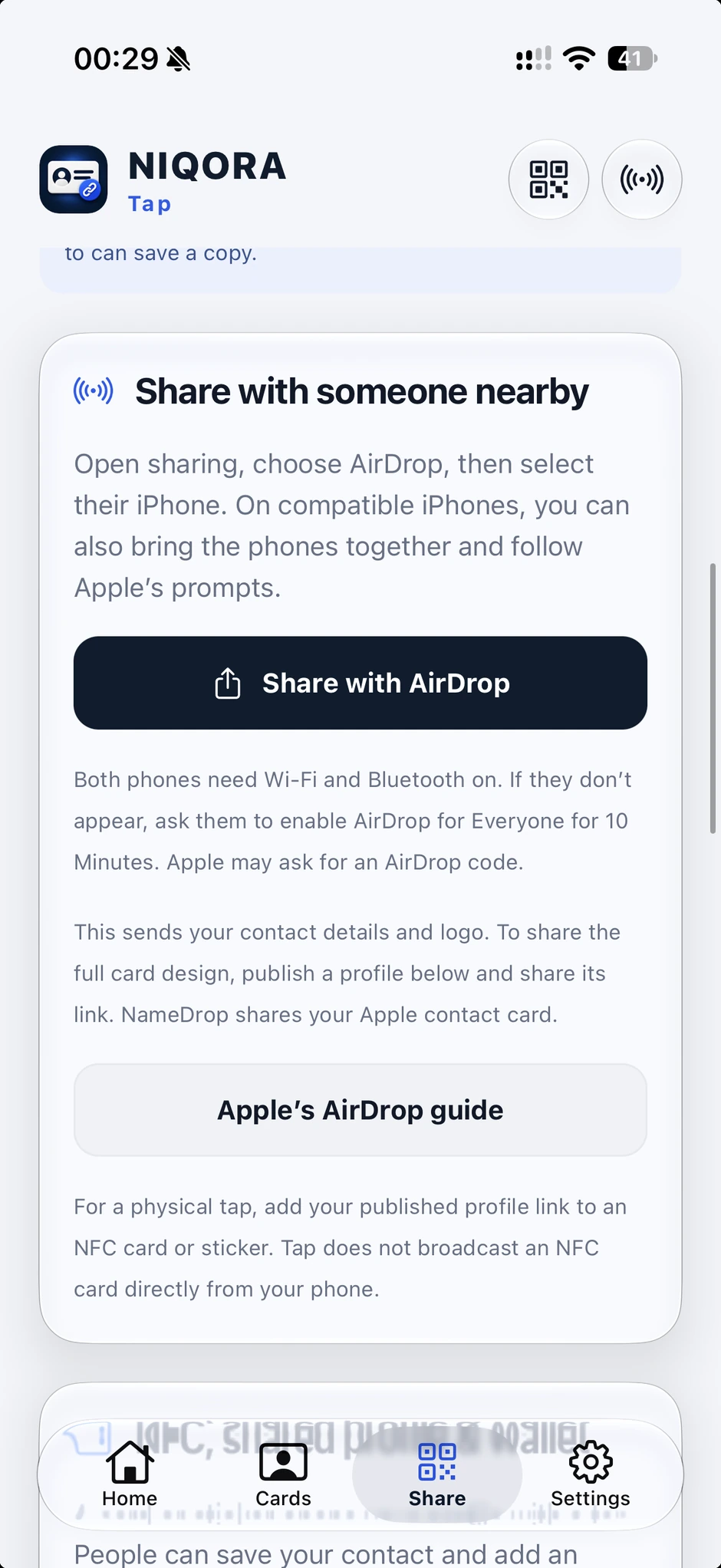
A QUICK INTRODUCTION
Use your iPhone’s sharing options to send your contact card to someone nearby. QR codes and contact files give you other ways to share.
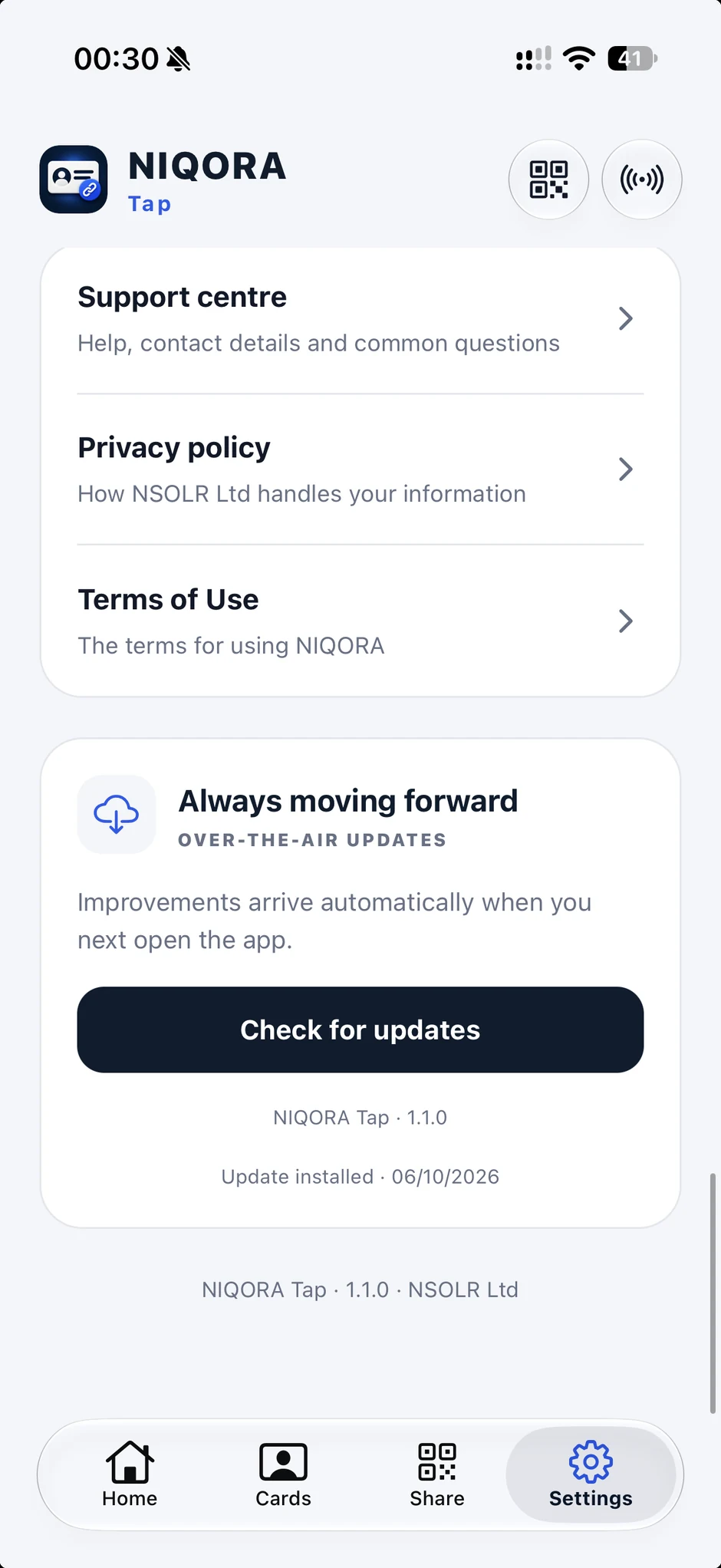
HELP, CLOSE AT HAND
Find the support centre, privacy policy and terms in Settings. Check the installed version and look for compatible app refinements from the same place.
Supplied iPhone screenshots from NIQORA Tap 1.1.0, submitted to Apple for review. Tap is not yet publicly available; public downloads will follow after approval and release.
USE WHAT YOU NEED
Tap recognises the shared NIQORA membership in testing. Full launch details will follow.
Create a personal digital business card and share your chosen contact details.
Choose what goes on your card.
Use the same NIQORA account across the family. Tap’s premium features and card limits will be confirmed before public launch.
Compare membership plansNIQORA+ shared access is being prepared for the upcoming app updates. Existing Debt subscriptions continue with their current benefits.
YOUR INFORMATION. YOUR CHOICE.
Choose which details go on your card and share them when you are ready. Edit or delete your cards and use device authentication to lock the app. Your Tap cards stay separate from your Debt and Bills records.
How we handle your informationNIQORA Tap 1.1.0 has been submitted to Apple for review and is not publicly available yet. Join the launch updates list to hear when it is ready to download.
No NIQORA account is needed to receive a contact file. Contact QR codes need a compatible QR reader on the recipient’s phone.
Yes. Tap uses the shared NIQORA account system, alongside Debt and Bills. Each app keeps its own records.
Tap is part of the NIQORA family and recognises the shared membership in testing. Its premium features and card limits will be confirmed before public launch.
Tap can share a public profile link, including through a compatible NFC card or sticker. Where available, the published profile offers an Apple Wallet pass. Direct phone-to-phone NFC and Google Wallet are not included. You can also share using QR codes, contact files and AirDrop.
NIQORA TAP
Currently in testing. Public launch details will follow.

