Your cards together
Money separates debit-account balances from credit-card debt, limits and payment dates. Choose a primary, secondary and third card across Money.

 NIQORA MoneyApple review
Your cards, spending and repayments in one personal wallet. Make a plan for your month, see what needs attention and keep the details in your hands.
Apple review · Public launch to follow
ONE LESS THING TO REMEMBER
Turn on Automatic iCloud backup in a supported iPhone version of NIQORA Money. Changes save to your own iCloud while the app is open and unlocked. You stay in control of backup and restore.
Requires a compatible app version and available iCloud storage. Check the latest completed backup in the app. App release availability is shown separately.
MADE FOR EVERYDAY LIFE
A focused place for the cards, purchases and small decisions that make up your month. Explore the iPhone preview below. Money is awaiting Apple review.
Money separates debit-account balances from credit-card debt, limits and payment dates. Choose a primary, secondary and third card across Money.
Choose from 34 providers and 40 colours, grouped into Classic, Soft and Rich. Logos identify your chosen provider; they do not mean a bank connection.
Record spending, income and refunds. Money also tracks debit-funded card repayments and transfers without counting them as new spending.
Use custom categories, monthly limits, notes and adjustable alerts. Follow the entries behind each budget and see what changed in your spending.
Review the due dates you record. The current version includes opt-in payment reminders, weekly check-ins and in-app budget alerts.
No bank connection or banking password needed. Hide amounts, use app lock and choose which details you record.
THREE SMALL STEPS
Choose debit or credit and add the starting balance. Credit cards also have a limit and optional due date. Set the order that works for you.
Record spending and income as you go. Log repayments separately and make a monthly plan for the categories that matter to you.
Look at your activity and spending insights. Check your statements and update your entries when things change.
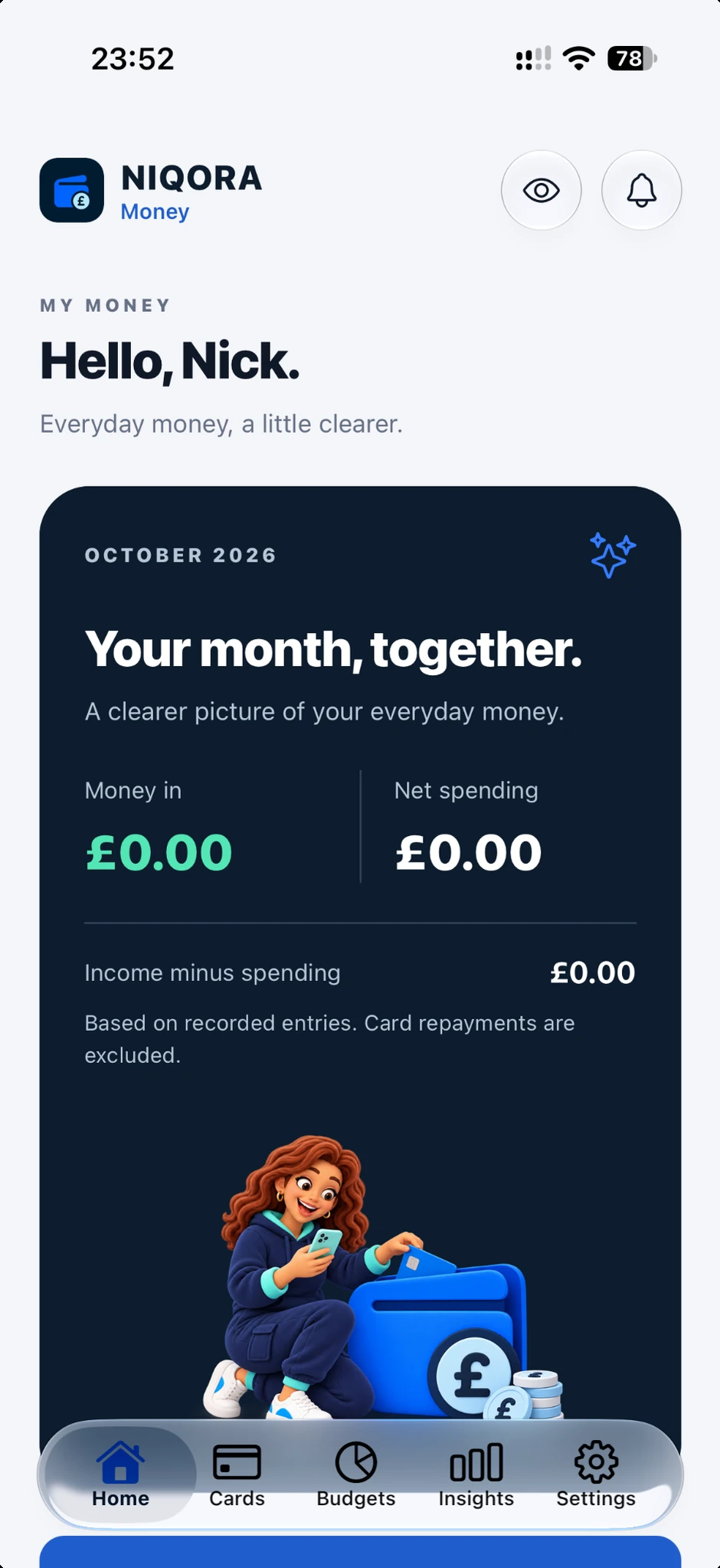
START WITH YOUR MONTH
See the income and spending you have recorded, review your budgets and return to the cards you use most.
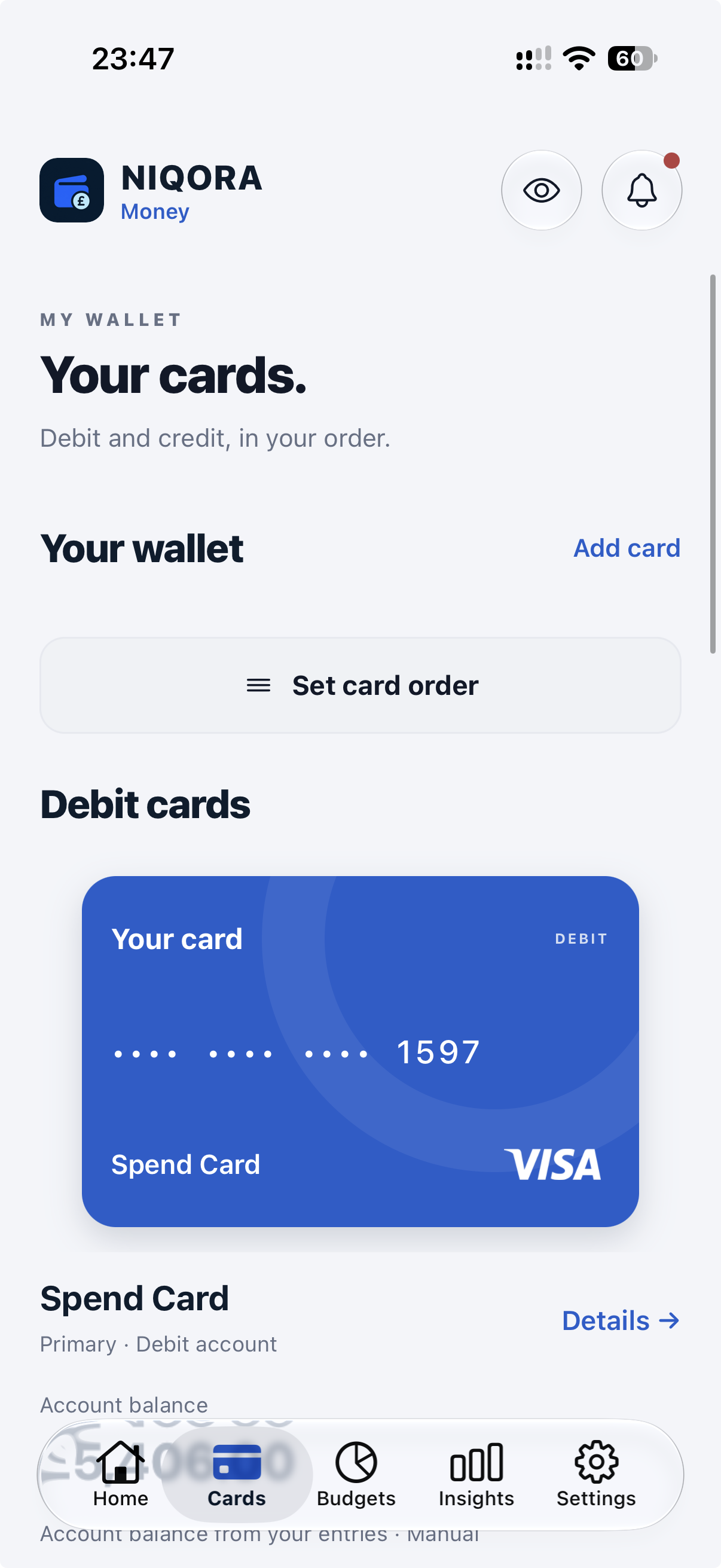
DEBIT AND CREDIT
Money separates debit accounts from credit cards. See money in an account alongside a clear view of borrowing, without mixing the two.
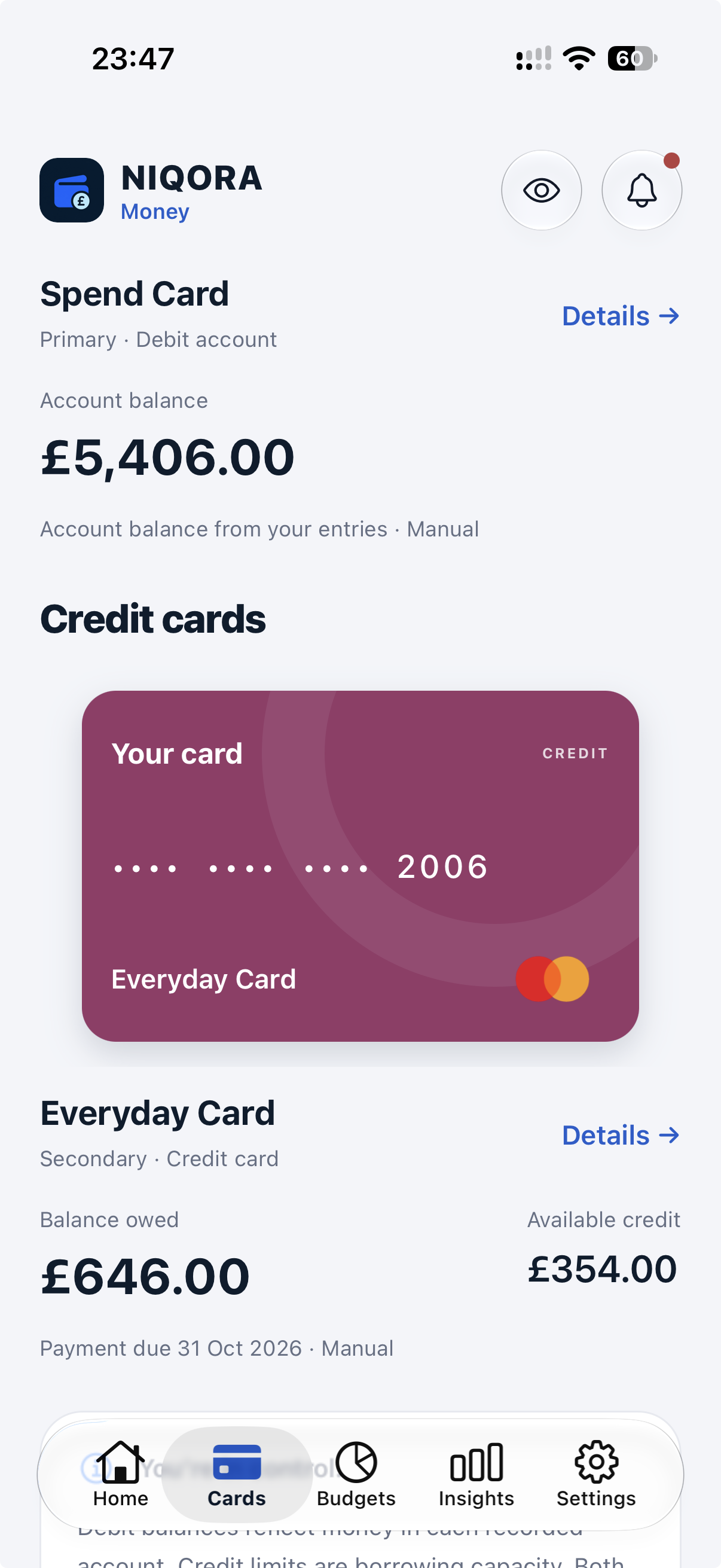
CREDIT, KEPT CLEAR
Keep recorded credit balances, limits and payment dates together. Review what you owe separately from the money in your debit accounts.
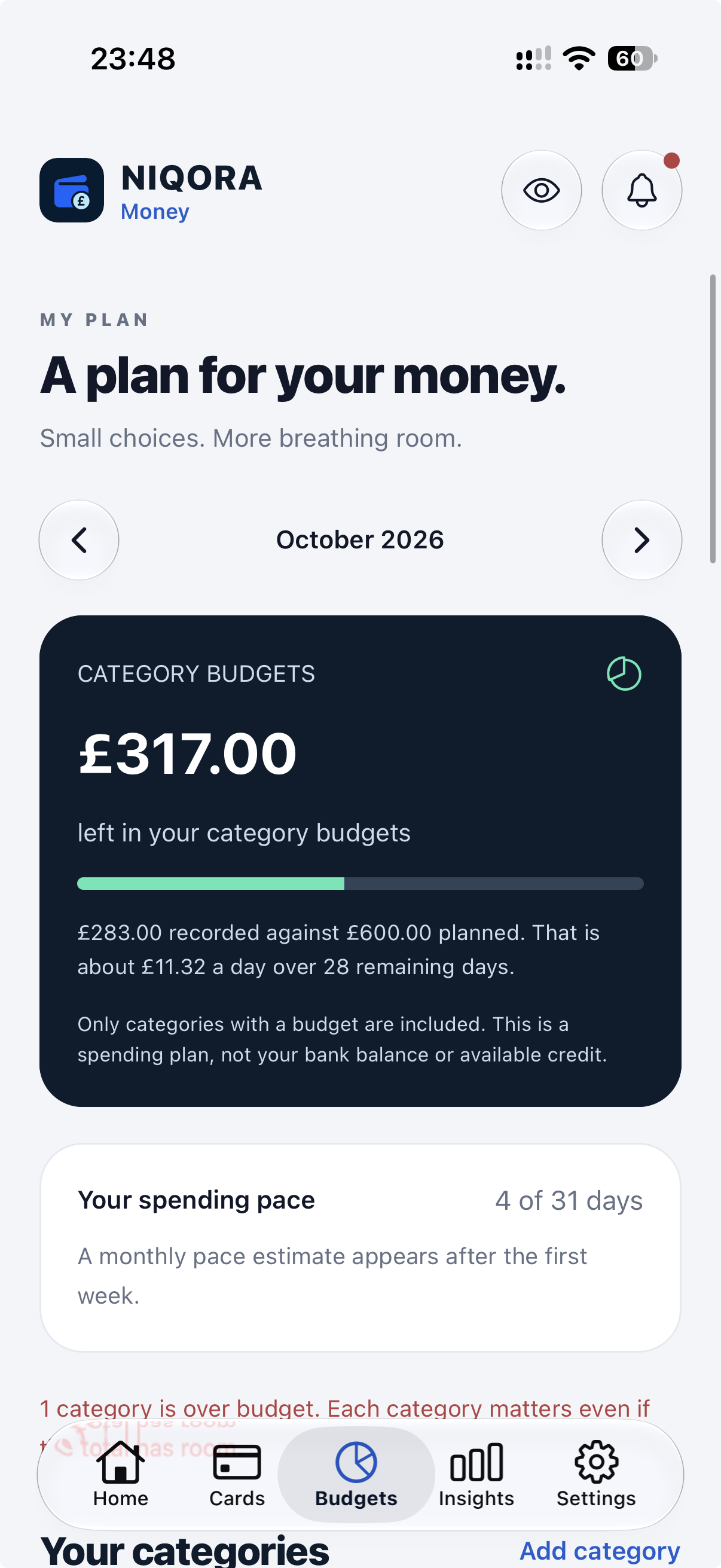
A PLAN THAT FITS YOU
Create categories for the things that matter to you. Set a monthly amount, add a useful note and choose when a budget should ask for your attention.
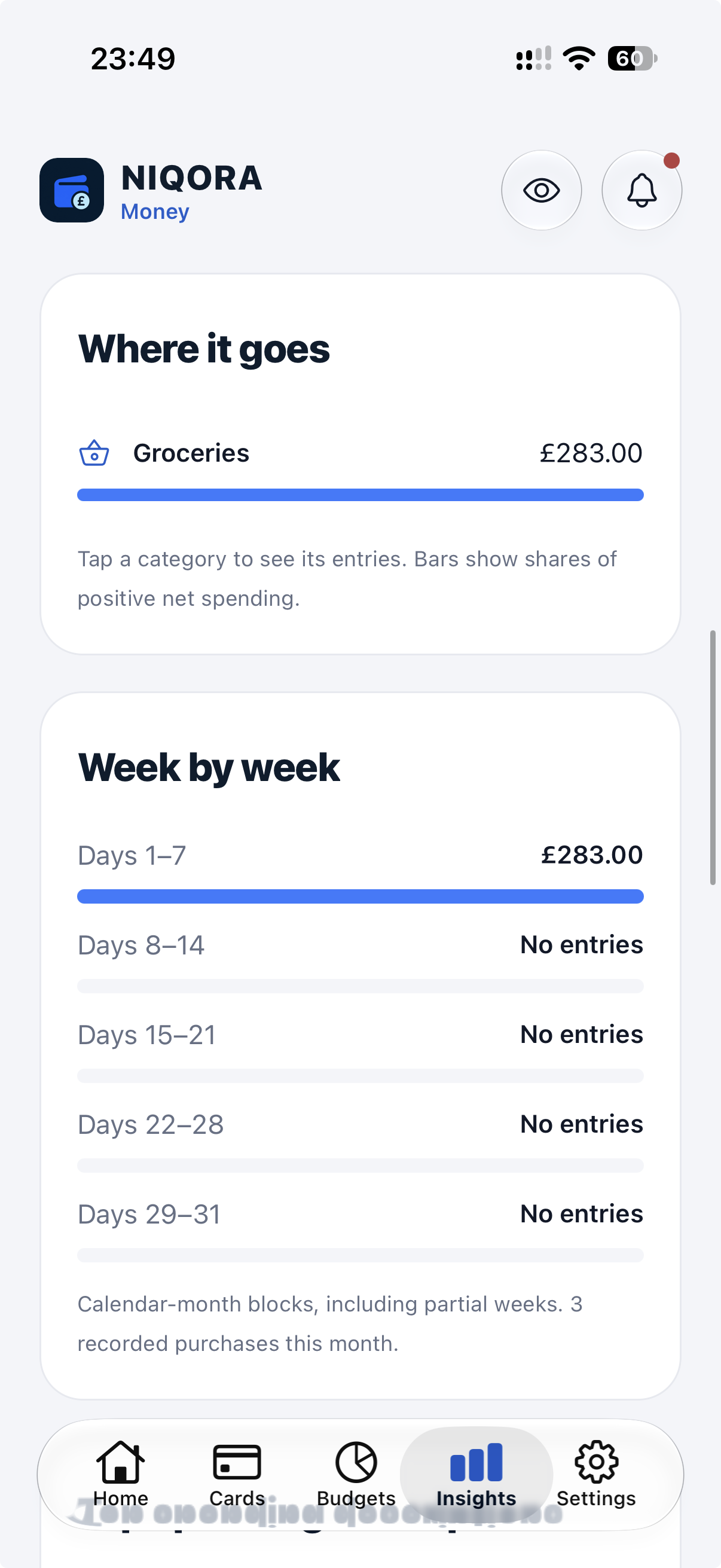
SEE WHAT CHANGED
Compare matching periods, see which categories changed most and review spending week by week. Useful prompts help you decide what to check next.
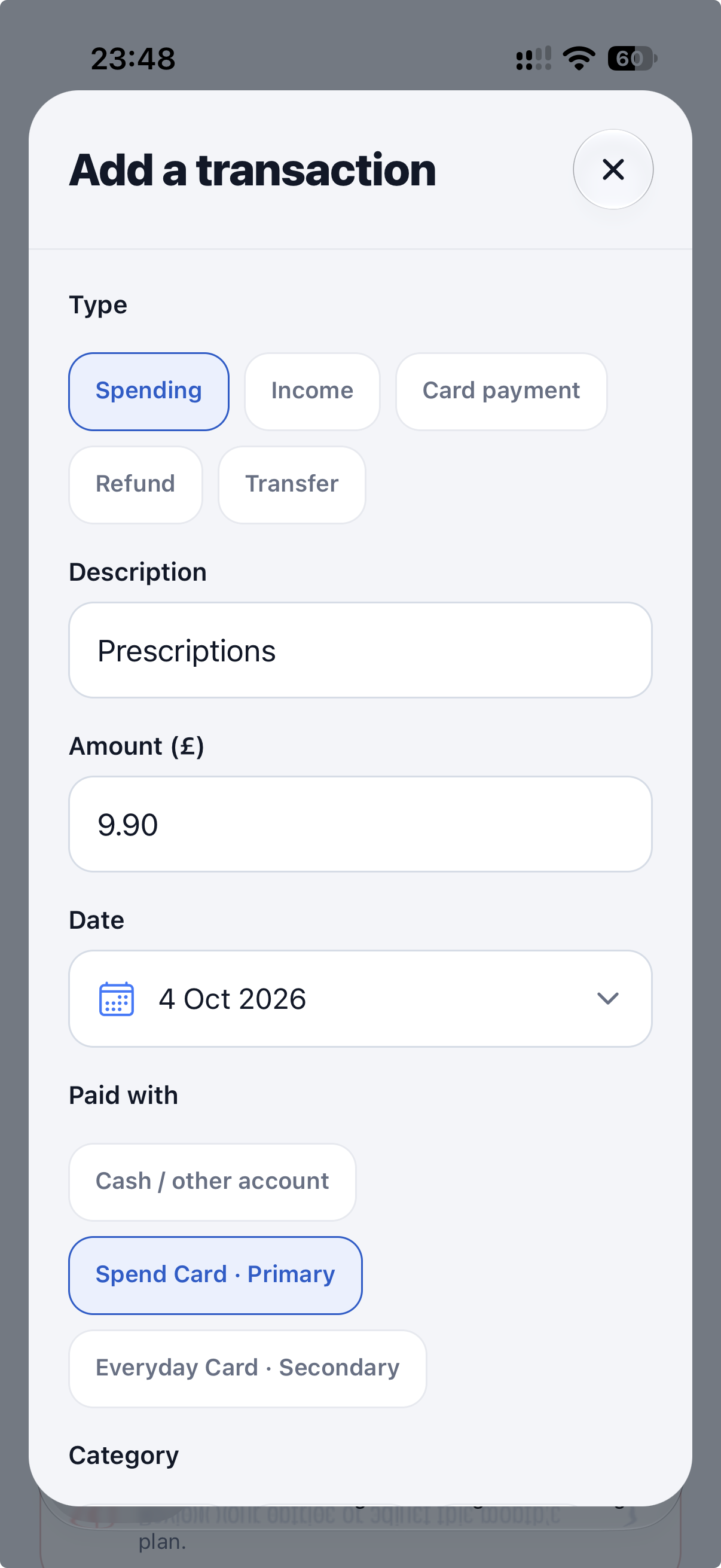
KEEP THE DETAILS
Add a purchase, choose its card and category, then include a note if it helps. Your recorded activity feeds your budgets and insights.
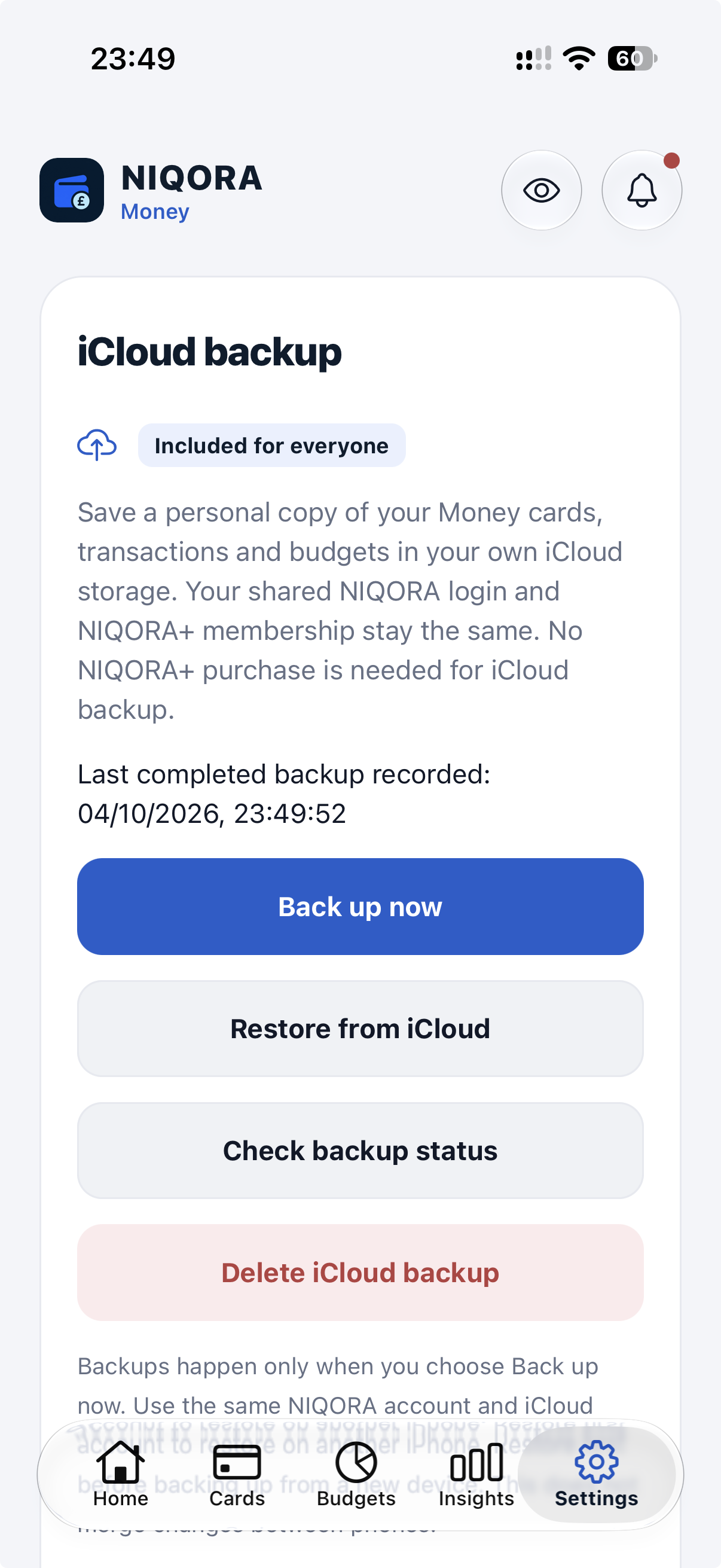
ICLOUD BACKUP INCLUDED
In a supported version, enable Automatic iCloud backup in Money’s Settings. Changes save while the app is open and unlocked. Check the completed backup and restore inside the app.
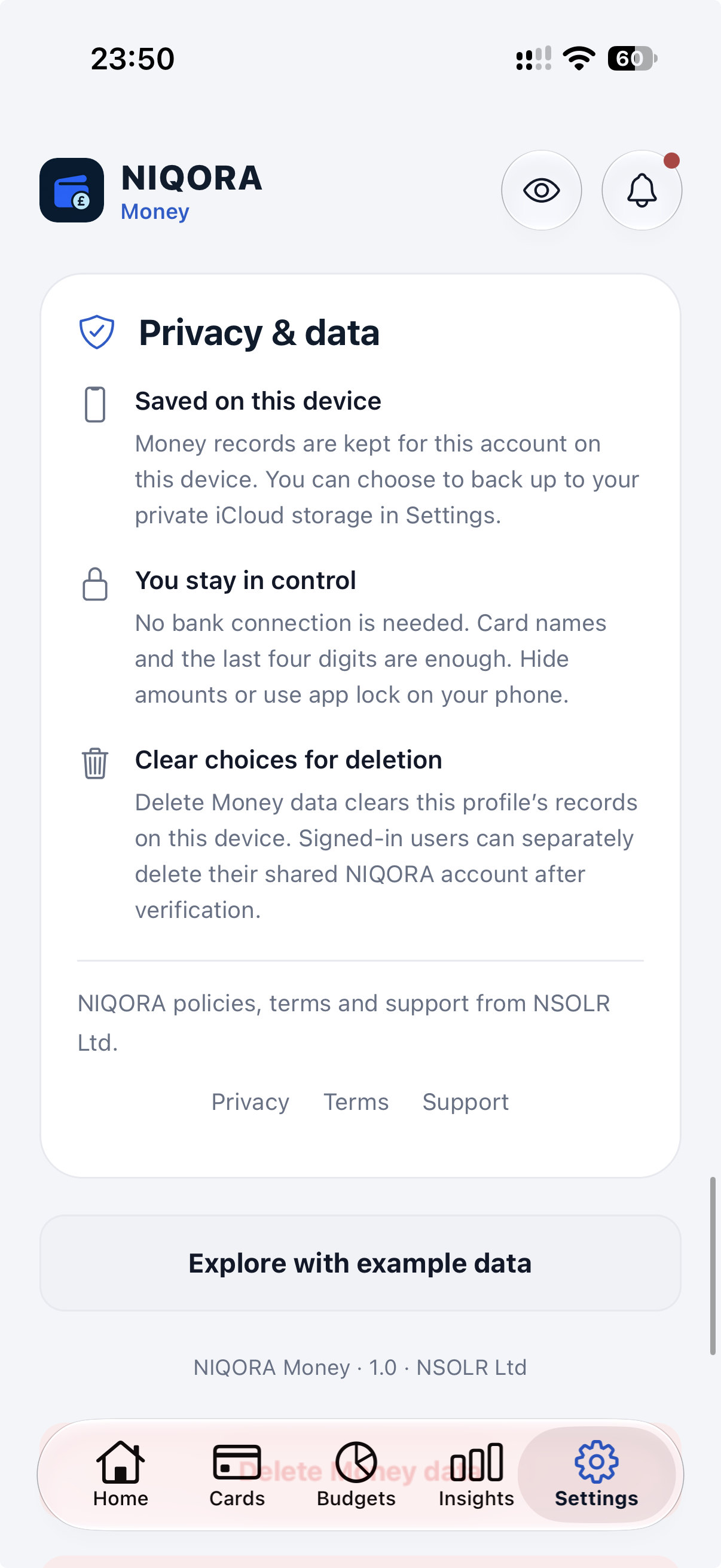
YOUR INFORMATION, YOUR CHOICE
Hide amounts when you need to, protect access with app lock and manage your records from Privacy & data. The controls stay part of the free app.
Supplied iPhone screenshots from Money 1.0.0 (10), with the latest design update and fictional example data. Money is awaiting Apple review; public launch will follow after approval and release.
USE WHAT YOU NEED
Manual cards, transactions, budgets and insights are free in the current version. Privacy controls and personal iCloud backup are included, with no NIQORA+ membership required.
Try the manual wallet, spending records, category budgets and insights.
Privacy controls included.
Keep your existing membership. The current version includes optional read-only Bills and Debt summaries for eligible members using the same account. Public launch will follow after Apple approval and release.
Compare membership plansNIQORA+ shared access is being prepared for the upcoming app updates. Existing Debt subscriptions continue with their current benefits.
YOUR INFORMATION. YOUR CHOICE.
No bank connection is needed. You choose what to add, can hide amounts on screen and have clear controls for your data. Privacy features stay free.
How we handle your informationMoney has been submitted to Apple and is awaiting review. It is not publicly available on the App Store yet. Join the launch list to hear when it is ready.
These are supplied iPhone screenshots from TestFlight version 1.0.0 (10), including the latest design update. They show the home dashboard, debit and credit cards, budgets, transactions, insights, free iCloud backup and privacy settings, using fictional example data.
No. Add your cards and record spending and repayments manually. Money does not move money or make payments for you.
The current version includes manual cards, transactions, budgets and insights free, with no paid card limit. Privacy controls and personal iCloud backup are also free. NIQORA+ is optional and supports eligible premium features across the family.
The current version includes optional read-only Bills and Debt summaries for eligible NIQORA+ members using the existing account. Public launch will follow after Apple approval and release. These summaries do not create Money transactions or count spending twice.
No. Existing subscribers should keep their current NIQORA account and membership. Use the same NIQORA sign-in so Money can check your existing membership. Restore purchases if needed; do not buy a second membership.
Yes. iCloud backup is included as standard on iPhone, with no NIQORA+ membership required. In a supported version, turn on Automatic iCloud backup to save changes while Money is open and unlocked. Manual backup and restore remain available; check the latest completed backup in the app. Restore with the same NIQORA and iCloud accounts. It uses your own iCloud account and storage. Money is awaiting Apple review and is not publicly available yet.
NIQORA MONEY
Awaiting Apple review. Join the list for public launch news.

