
When can I get NIQORA Vault?
Vault 1.0 was submitted to Apple on 8 October 2026 and is awaiting review. Its first launch will be free and UK-only on iPhone, after approval and release. See the app screenshots or get launch updates.
NIQORA SUPPORT
Questions about your NIQORA apps, iCloud backup or membership? Find an answer below, or speak to us directly.
Handled by Webfixd We aim to reply within two working days.
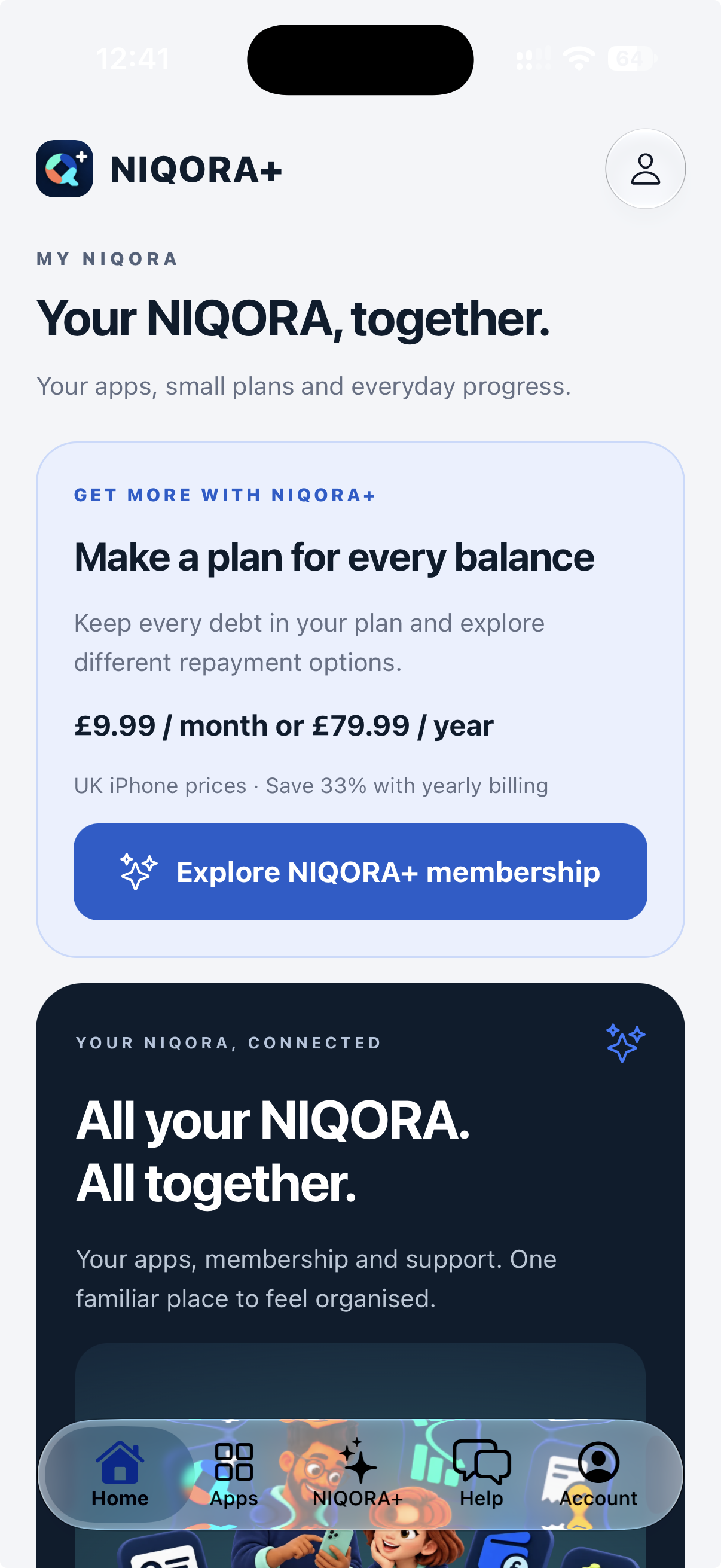
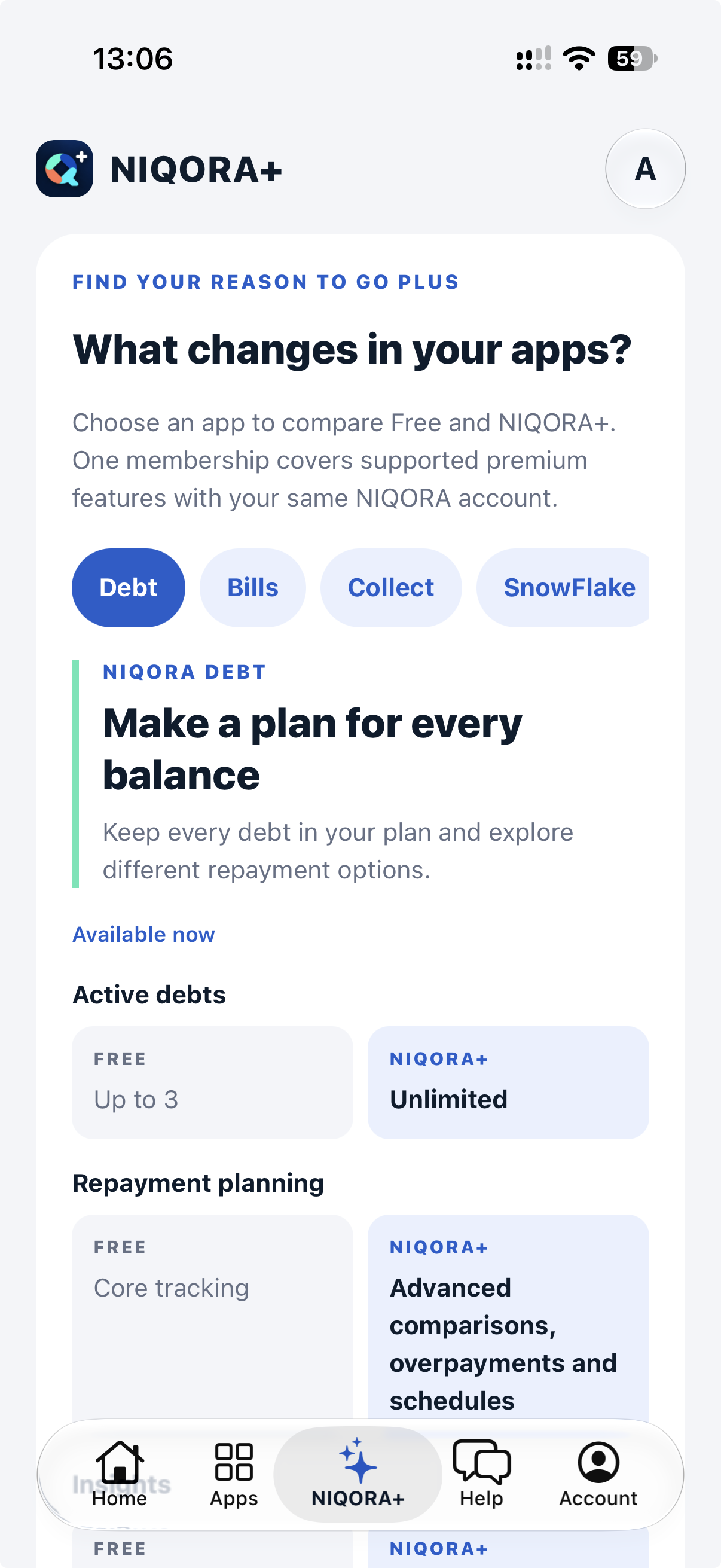
Your free iPhone companion
Account guidance, membership comparisons and NIQORA support in one free app. Help is available without signing in.
No paid membership required.
Your preferences. Your iCloud.Optional automatic backup covers favourite apps and the Home news preference while the companion is open and unlocked. Checklists, pinned actions and setup choices stay on this device and are not included. Each specialist app manages its own records and backups; My NIQORA cannot read them.
NIQORA SUPPORT · ON WHATSAPP
From getting started to finding your membership, a little help is just a message away. Chat with Webfixd, the team handling all NIQORA WhatsApp support.
Opens a Webfixd chat with a NIQORA message ready to edit and send.
Prefer a form? Send a NIQORA requestINCLUDED AS STANDARD
A little less to remember, with a saved copy in your own iCloud. Automatic backup is optional and included on Free and NIQORA+ in supported iPhone versions. Set it up separately in each app.
This is a restorable backup, not continuous cross-device sync. The NIQORA+ companion backs up only its own favourites and Home news preferences. Checklists, pinned actions and setup choices stay on the device and are not included; each specialist app looks after its own records.
My NIQORA manages your membership and app links. It cannot check your iCloud backup status. App availability is shown on each product page; apps in testing or on the roadmap are not yet publicly released.
Apple’s guide to using iCloud with appsCOMMON QUESTIONS
Vault 1.0 was submitted to Apple on 8 October 2026 and is awaiting review. Its first launch will be free and UK-only on iPhone, after approval and release. See the app screenshots or get launch updates.
The 1.2.0 update is awaiting Apple review. It introduces the NIQORA name, shared sign-in and refreshed screens. Keep your current app and subscription until the update is available. In the updated app, recover an original account through Sign in → Forgot password? → Recover an existing Black Bot account, then choose whether to connect a NIQORA account. Read how Privacy handles your information.
The app is free to explore, but live email/mobile verification and external-source scans need an active eligible membership. Sign in with the NIQORA account that holds your membership or restore an existing purchase. If access is missing, contact support before buying again. Verification codes must be sent to a contact detail you control.
In the submitted iPhone app, open Settings and its iCloud backup section. Set up a recovery key, keep it somewhere safe outside Vault, and choose a manual backup or enable Automatic iCloud backup. Automatic saves run while Vault is open and unlocked. Restore needs the same NIQORA account, iCloud access and the recovery key. Check the latest completed backup in Vault; Files exports remain separate copies.
Open Vault’s Settings → Delete NIQORA account. Read the shared-account warning, choose whether to delete this Vault’s private iCloud backup, and verify your sign-in when prompted. Other apps’ local data, private backups and Files exports are separate. Read the full deletion guidance.
The new iPhone app was submitted to Apple on 8 October 2026 and is awaiting review. Its first launch is planned for the UK, with screenshots, reminders and optional iCloud backup free. See the new screens or get launch updates.
No automatic transfer is provided. NIQORA Snapd is a separate iPhone installation, not an automatic update to original SNAPD. Keep the original app and preserve any screenshots and reminders you need. Signing in with a NIQORA account does not move the original app’s local content.
In the submitted iPhone app, select an image in Photos or another app, tap Share and choose Snapd. Open Snapd to review its local inbox and create a reminder. Check recognised details before saving. The original photo is not changed.
SnowFlake 1.1.0 is awaiting Apple review for a free UK iPhone launch. It brings together people, gifts, wish lists, Christmas planning and Secret Santa with Circle. The free plan includes 5 people, 15 gifts, 1 wish list and 1 active hosted draw; NIQORA+ removes these creation limits at launch. Travel 1.0.0 is awaiting Apple review for a free UK iPhone launch. It includes trips, an offline Travel Capsule, smart packing, Plan B, budgets and selected Circle sharing without paid membership. See SnowFlake’s iPhone screenshots or see Travel’s iPhone screenshots.
Goals brings together life goals, measurable targets, flexible habits and savings. Dream to Done helps you plan small actions; weekly reviews and a photo journal keep your progress close. It is awaiting Apple review for a free UK iPhone launch, with no paid membership needed for these features or optional private iCloud backup. Explore Goals or ask about Goals.
Circle is our upcoming iPhone app for one-to-one chats, private circles and the NIQORA community. It is awaiting Apple review, with joining optional. Explore Circle or get launch updates.
Webfixd handles all NIQORA WhatsApp support. Both NIQORA and Webfixd are brands of NSOLR Ltd. Our WhatsApp links open Webfixd’s existing business account with a NIQORA message ready for you to edit and send. Tell us which app you need help with; email support remains available too.
Yes. Home, Checklists, guided setup and app discovery are free. The submitted version also includes optional monthly and yearly NIQORA+ purchases for premium features in supported apps, plus Restore purchases. Existing members should use the same NIQORA account and keep their subscription. The app and its plans are awaiting Apple review; public launch follows approval and release.
No. Checklist due dates appear inside the app and do not schedule notifications. Checklists, pinned actions and setup choices are stored for your NIQORA account on this device, outside the companion’s iCloud backup. Use Export my checklists to keep a separate copy.
The companion backs up only its favourite-app and Home news preferences to your own iCloud account. Checklists, pinned actions and setup choices are saved for your NIQORA account on this device and are not included; export checklists to keep a copy. In a supported version, open Account and its iCloud section to enable Automatic iCloud backup, check the latest completed backup or restore. Records and backups for Debt, Bills, Tap, Money and Collect are managed in those apps. The My NIQORA website does not read your iCloud records.
It is optional and off until you choose to enable it in each app. Once enabled in a supported version, changes are saved to your own iCloud while the app is open and unlocked. Check the latest completed backup in the app. It does not promise uploads while the app is closed or locked, and you can still use the manual backup and restore controls.
The automatic-backup update has been published for compatible iPhone versions of Debt, Bills, Money, Collect, Tap and the NIQORA+ companion. Availability depends on your installed version and its latest update. Apps in testing remain in testing; this feature does not announce their public launch. The submitted NIQORA Vault iPhone app includes optional automatic encrypted private iCloud backup while open and unlocked, plus manual backup and restore. It is awaiting Apple review. Restore needs the same NIQORA account, iCloud access and recovery key; Files exports remain separate. The submitted NIQORA Snapd iPhone app has its own optional private iCloud backup, including automatic saves while open and unlocked; it is awaiting Apple review. This separate app does not move original SNAPD content automatically. Goals also includes optional automatic private iCloud backup for goals, check-ins, reviews and journal photos while open and unlocked. It is awaiting Apple review; manage backup and restore in Goals using the same NIQORA and iCloud accounts. These submitted versions are separate from the earlier rollout. Privacy and planned apps are not included in that rollout.
Apply any available app update, follow its restart prompt and reopen the app. Then look for Automatic iCloud backup in its iCloud section. An older installed version may need an App Store or TestFlight update first. If the switch is still missing, contact support with your app name and version.
These are separate features. Automatic iCloud backup saves a copy for you to restore; it is not continuous cross-device sync and does not automatically restore records onto another phone. Over-the-air (OTA) updates deliver compatible app improvements. They do not back up your records or switch automatic backup on for you.
Uploads stop while the app is locked or you are signed out. Automatic backup also pauses around restore, deletion, account changes or a newer-backup conflict. The app will not overwrite a newer backup from another device automatically. Review the in-app message and backup controls before continuing. Deleting a backup stops automatic uploads so it is not immediately recreated.
Supported NIQORA app versions can receive compatible fixes and refinements between store releases. These over-the-air (OTA) updates let us improve parts of your app without requiring a new store download for every small change. Availability depends on the app and installed version; an internet connection is needed. Follow any update or restart prompt shown in the app.
Yes. Larger changes and features that need new native capabilities still require a store update. Keep your app up to date through the App Store or Google Play so you can receive the improvements supported by your version. OTA updates do not replace store updates or iCloud backup.
Collect is your catalogue for models, cards, books and other favourites, with photos, wishlists and collection progress. It is awaiting Apple review and is not publicly available yet. Explore Collect or join its launch list.
The current Collect version includes ten catalogue entries free, including wishlist items. Verified shared NIQORA+ allows more than ten. Existing entries remain readable and editable if membership ends. Use your existing NIQORA account; Collect’s own purchase options are still being prepared.
In Collect Settings, open personal iCloud backup. In a supported version, turn on Automatic iCloud backup to save changes while Collect is open and unlocked, or use the manual backup control. Check that the backup completes. The saved copy can include catalogue records and photos. Restore using the same NIQORA and iCloud accounts. Both backup options are free. CSV exports omit photo files and cannot be restored as a backup.
Open My NIQORA from the menu to check your membership and explore your apps. Use the same Apple, Google or email sign-in as in your NIQORA apps.
No. iCloud backup, including the optional automatic mode in supported versions, is included on Free and NIQORA+. It uses your own iCloud account and storage. There is no separate NIQORA backup subscription. Planned apps will follow the same iCloud standard when they launch.
Manage backup, check the latest saved copy and restore inside each app. My NIQORA does not access your iCloud records or display live backup status. Signing in on the website does not create a backup.
Your NIQORA sign-in and iCloud account serve different purposes. Continue using your usual NIQORA sign-in for membership. Backup uses the Apple Account signed in to iCloud on your iPhone.
The iCloud backup feature is for NIQORA apps on iPhone. Check your Android app for the data and recovery options available there. Your existing NIQORA sign-in and membership still apply.
Join the launch updates list and choose Bills, Tap, Money or Collect. We’ll email you when your selected apps are ready to download. You can unsubscribe anytime.
Niqora Debt is available now in the United Kingdom from Apple’s App Store for iPhone and Google Play for Android.
Debt includes up to three active debts, payment tracking and core planning. Bills, currently in testing, includes five active bills, its calendar, reminders and insights. Collect, awaiting Apple review, includes ten catalogue entries free, including wishlist items. Privacy controls and iCloud backup on iPhone are included as standard.
NIQORA+ brings premium features together under one membership. Existing Debt subscriptions keep their current benefits. Shared Bills access is being prepared for the upcoming app updates.
Existing subscribers keep their current price while their subscription continues without interruption. Current NIQORA+ UK iPhone pricing is £9.99 monthly or £79.99 yearly. Use your existing NIQORA account and subscription; do not purchase again. Your store confirms the price if you cancel and later resubscribe.
Bills is in testing and is not publicly available in the app stores yet. Email us if you would like to ask about testing.
Tap is the NIQORA family’s digital business-card app. Create a card with your details, logo and colours, then share by QR code or contact file. Tap is currently in testing and is not publicly available in the app stores yet. Email support to ask about testing.
Yes. Tap uses the shared NIQORA account system and can check your existing NIQORA+ membership in Settings. Your cards stay separate from your Debt and Bills records. Tap will be free to download at its UK launch and does not sell a new subscription in this version.
Open Settings in Tap. Delete Tap data removes Tap cards while keeping your account and other apps. Delete NIQORA account requires sign-in verification and permanently deletes the shared identity and associated cloud records. Read the in-app scope before confirming. Account deletion does not cancel a store subscription, and device-only copies remain separate.
Bills, Tap, Money and Collect are awaiting Apple review. Vault and Snapd are awaiting Apple review for free UK iPhone launches. Privacy’s NIQORA iPhone update and Circle are awaiting Apple review. Goals is awaiting Apple review for a free UK iPhone launch. SnowFlake and Travel are awaiting Apple review for free UK iPhone launches. Travel’s submitted planning, packing, budgets and private iCloud backup need no paid membership. Features and launch dates will be announced as each app develops, with premium features planned to join NIQORA+ as they launch.
Use the NIQORA login you used for your original purchase. Try Restore purchases in the app and check the store account where you subscribed. Contact support before purchasing again.
No. Niqora Debt is a tracking and planning app. Entering information manually does not create a credit search or change your credit score.
No. NIQORA provides organisational and educational tools, not regulated financial or debt advice. Seek qualified help if you need advice for your circumstances.
In Bills 1.0.0, currently in TestFlight, open Settings → Delete NIQORA account and verify your sign-in. This deletes your shared account and both Bills and Debt cloud records; device-only bills remain separate. Our account-deletion page also covers Debt, older Bills versions and email requests. Account deletion does not cancel store subscriptions.