Share straight to Snapd
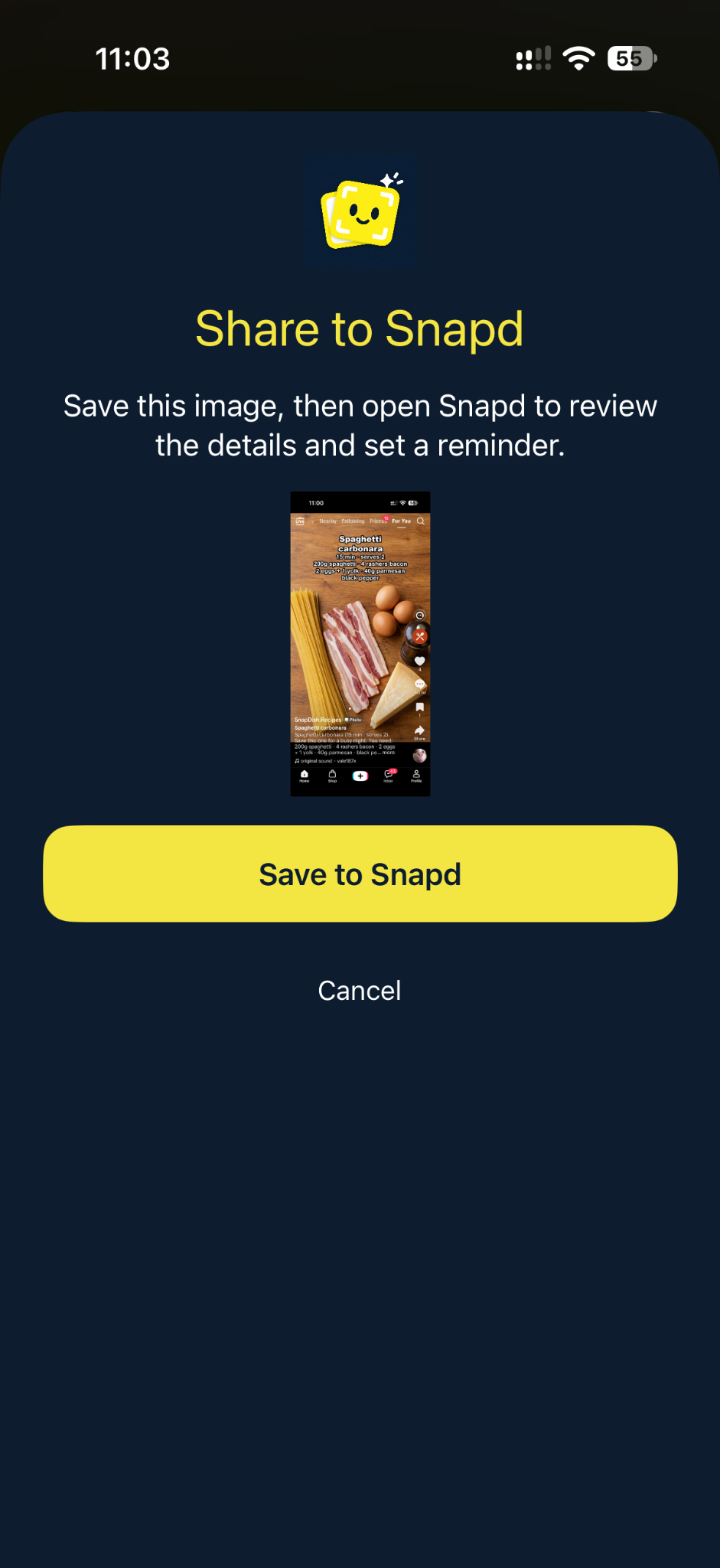
In Photos or another app, select an image, tap Share and choose Snapd. Open Snapd to review the saved image and create a reminder. You can also choose a photo inside the app.

 NIQORA SnapdApple review
The booking, the idea, the thing you meant to do. Share a screenshot to Snapd, review its details and choose a reminder, with the original always close by.
FROM SAVED IMAGE TO NEXT STEP
A screenshot can be the start of something useful. Snapd keeps the image, the details and your next step together.
In Photos or another app, select an image, tap Share and choose Snapd. Open Snapd to review the saved image and create a reminder. You can also choose a photo inside the app.
Text recognition runs on your iPhone. Check the suggested details, choose a date and time, and set the reminder yourself. You stay in control of what gets saved.
Return to the image beside its reminder. Optional private iCloud backup keeps a saved copy of your screenshots and reminder details, with no membership required.
INSIDE NIQORA SNAPD
A closer look at NIQORA Snapd on iPhone. Awaiting Apple review, with the first launch planned for the UK. Not publicly available yet.
Welcome
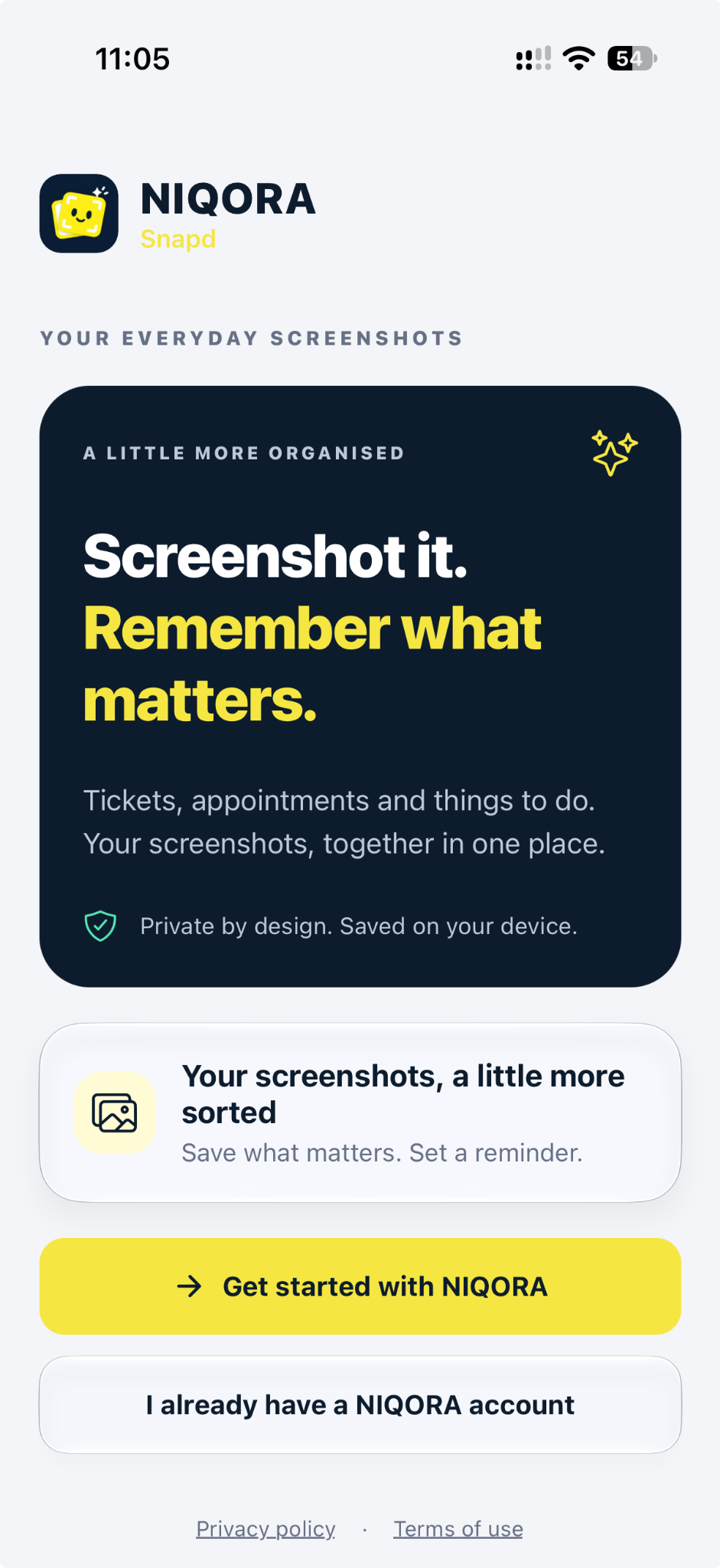
Start with your NIQORA account and a place for everyday screenshots. Tickets, appointments and things to do, ready for their next step.
View full screen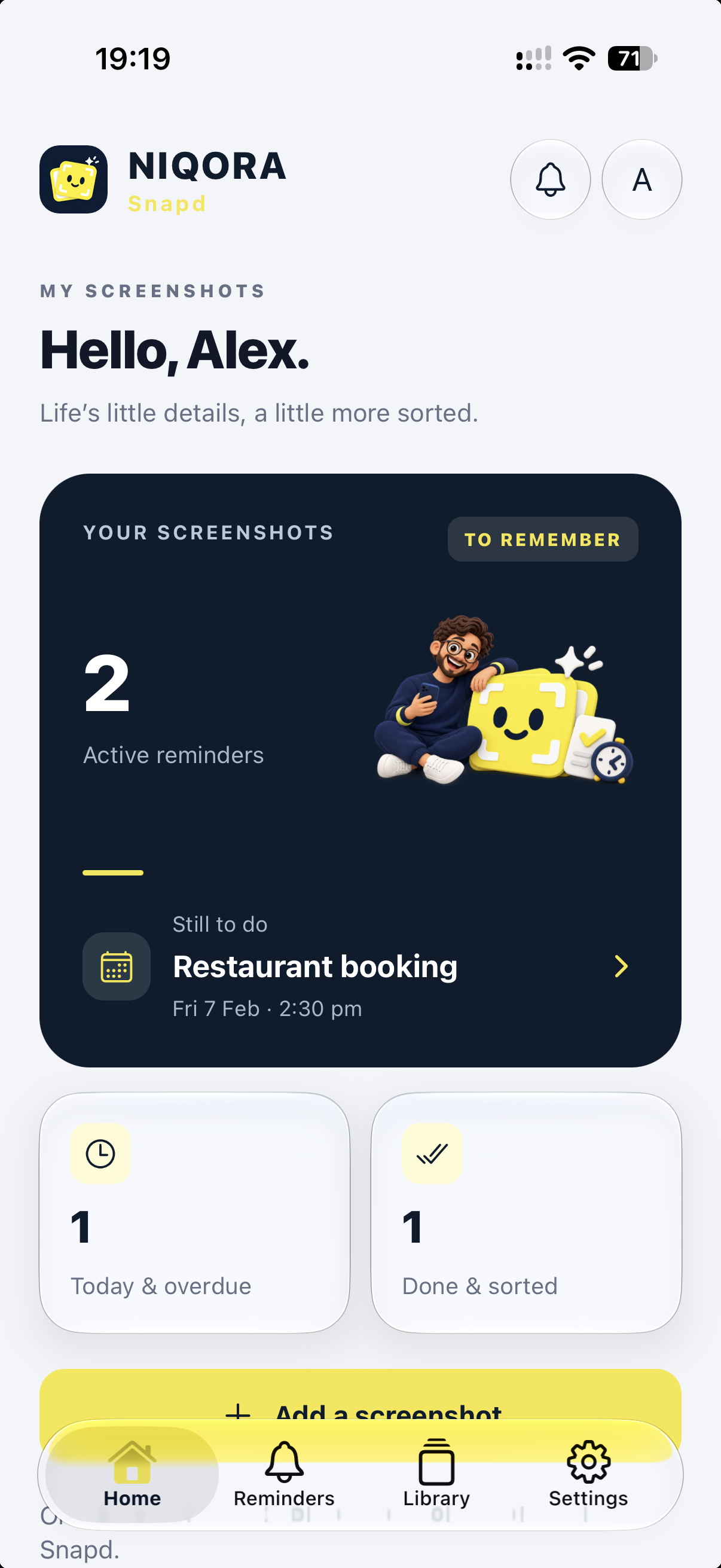
Home
See your saved reminders, what still needs doing and what you have already sorted. Add a screenshot when something is worth remembering.
View full screen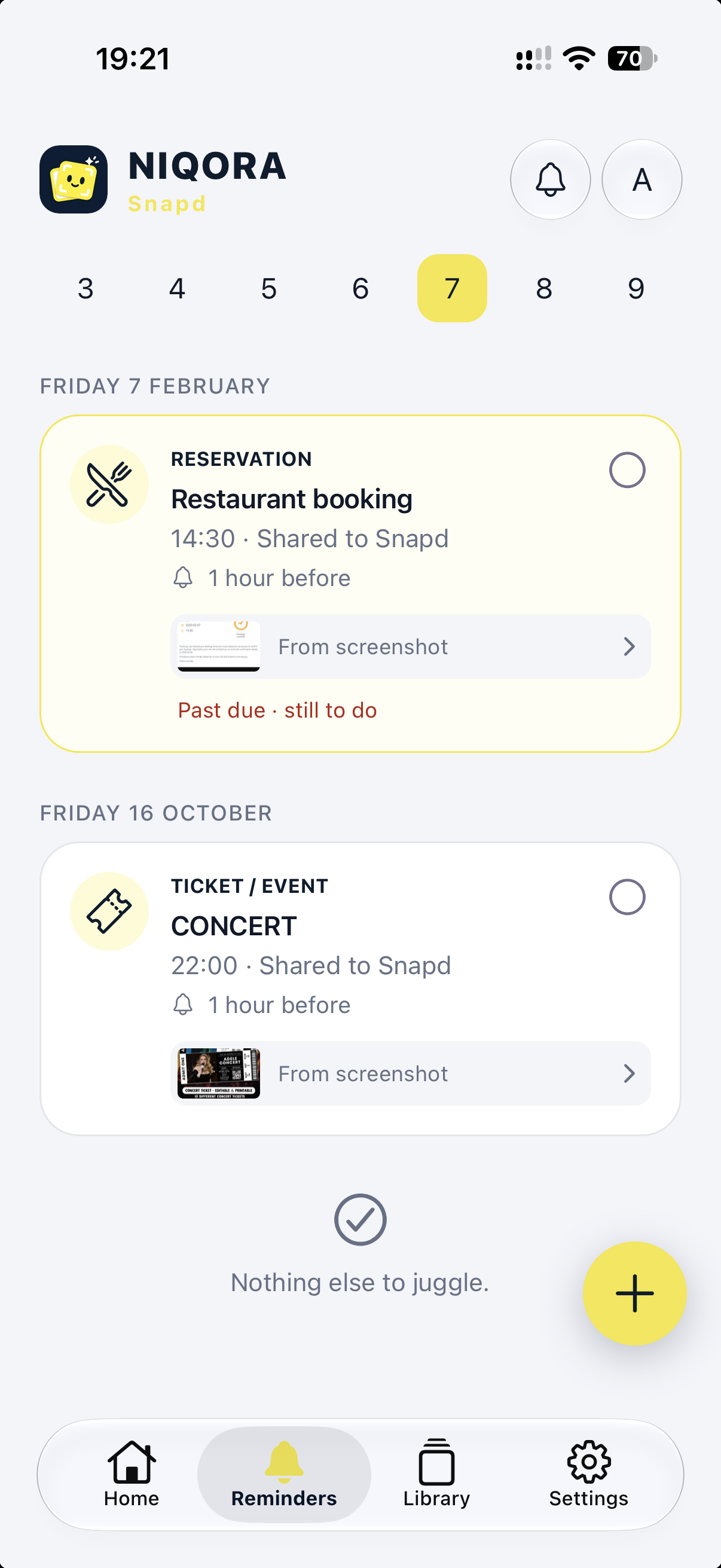
Reminders
Review the recognised details, choose a date and time, and keep the original image beside your reminder.
View full screen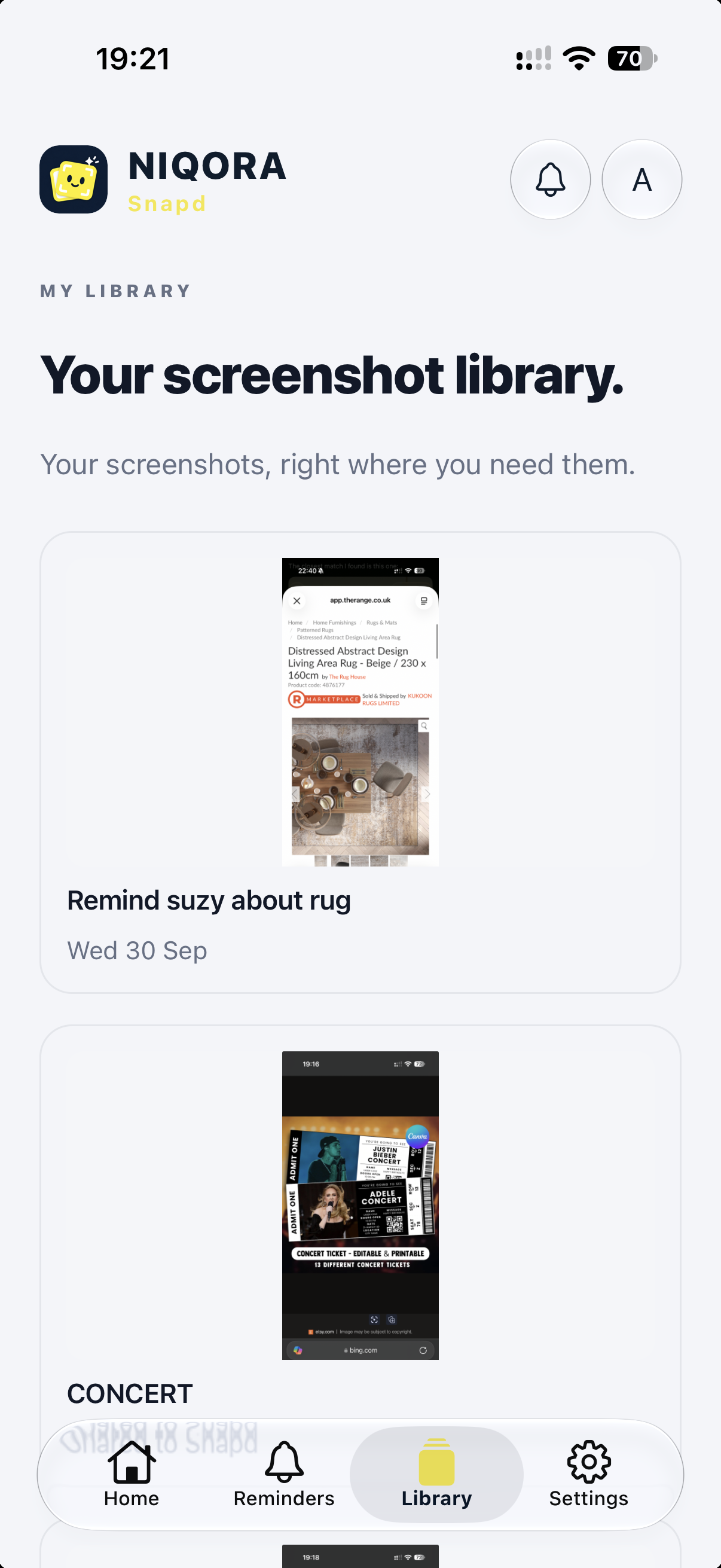
Screenshot library
Find saved images and return to the details behind a reminder. Your screenshot library stays separate from the records in your other NIQORA apps.
View full screen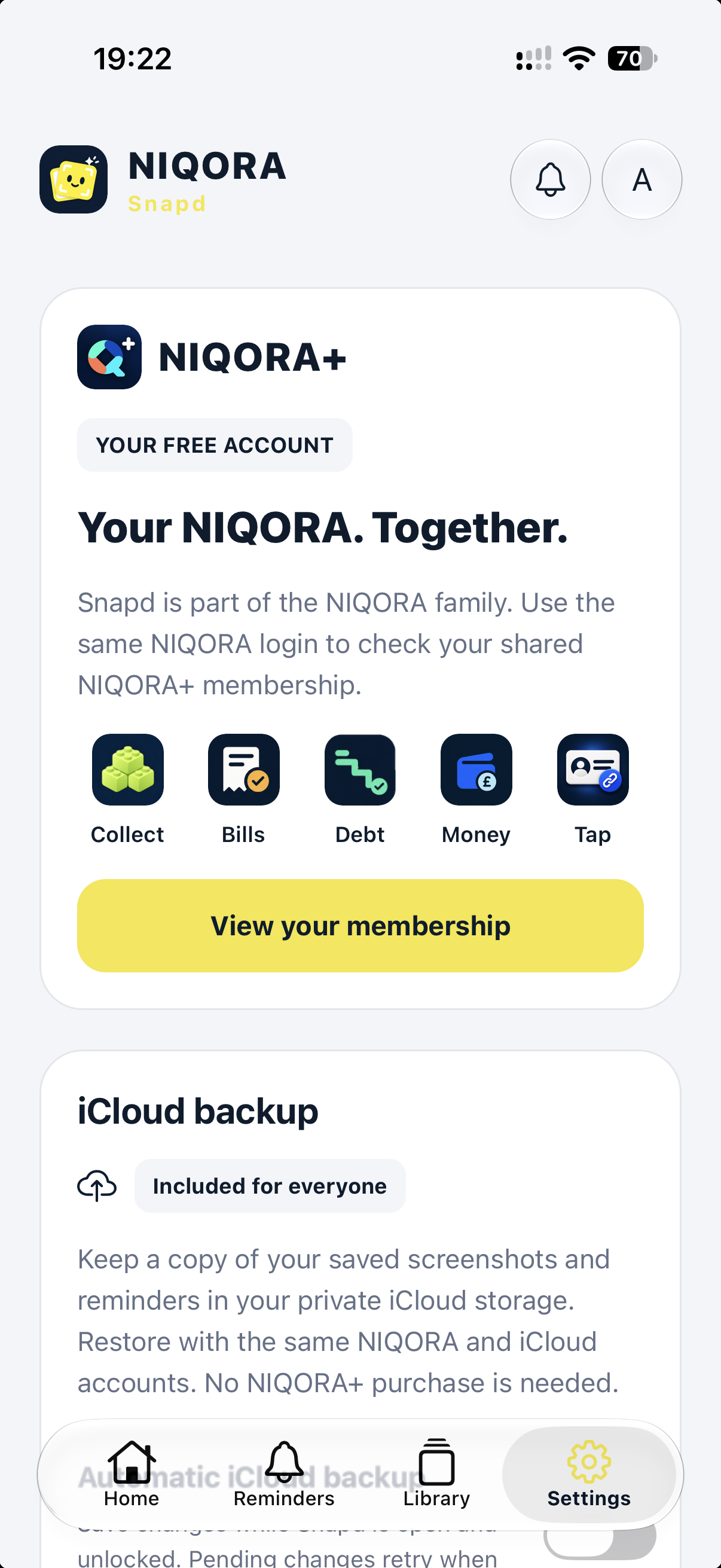
Account and backup
Use your NIQORA account and choose private iCloud backup for screenshots and reminders. Automatic backup is optional and runs while Snapd is open and unlocked.
View full screen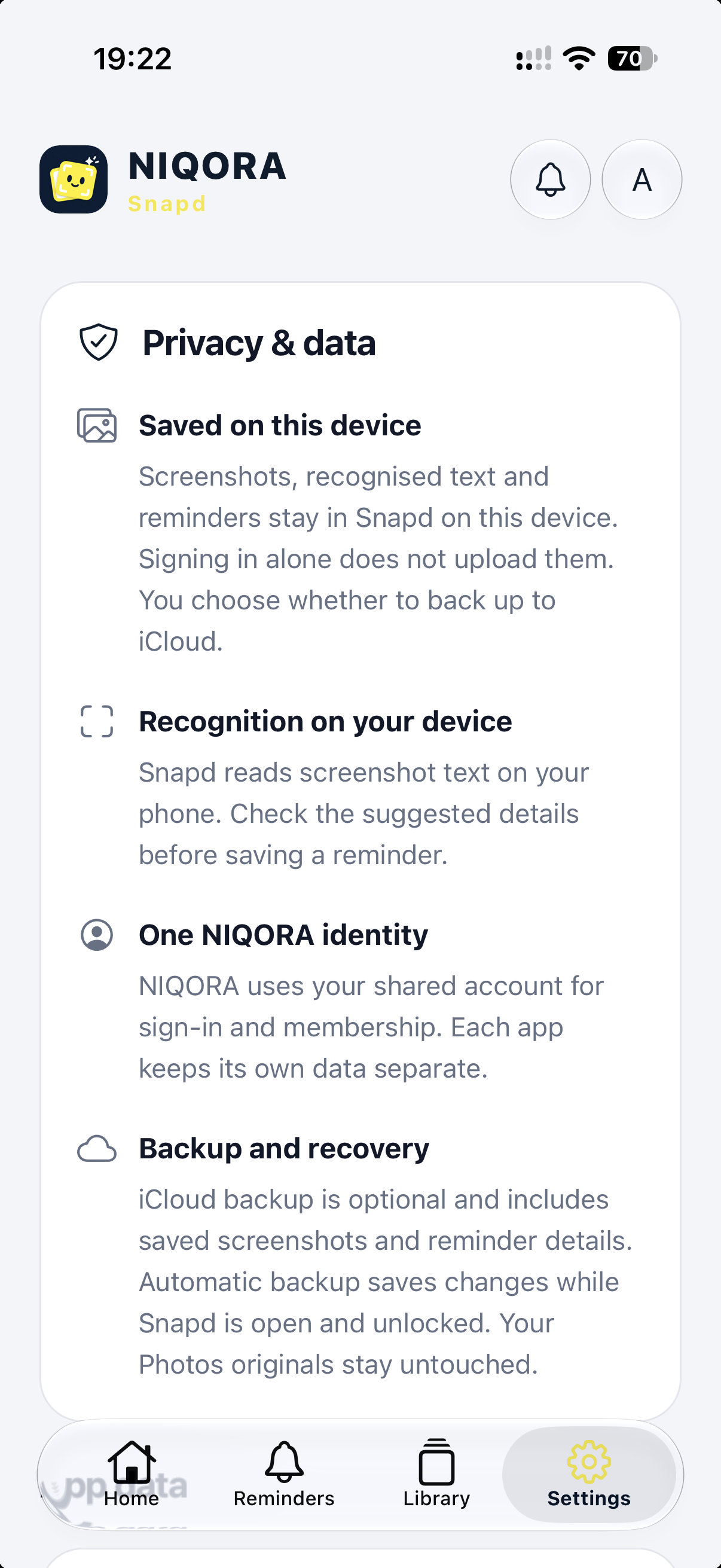
Privacy and data
Text recognition runs on your iPhone. Signing in does not upload your screenshots. Choose whether to enable iCloud backup, and manage app lock and your data from Settings.
View full screenFAMILIAR TOGETHER
Sign in with Apple, Google or email using your NIQORA account. Snapd can recognise your existing NIQORA+ membership, while its screenshot, reminder and optional iCloud backup features need no paid membership. Your records stay separate from other NIQORA apps. The free iPhone edition is awaiting Apple review for its UK launch.
Explore NIQORA+NIQORA Snapd 1.0.0 has been submitted to Apple and is awaiting review. It is not publicly available yet. Its first launch is planned for iPhone in the UK, after approval and release. Join the launch list to hear when it is ready.
No. You review the recognised details and choose the reminder before saving. Recognition can miss or misread information, and notification delivery depends on your iPhone settings and permissions.
No paid membership is needed for the screenshot, reminder and optional iCloud backup features in this submitted version. Snapd will be free to download at launch. Existing members can use their shared NIQORA account; there is no need to buy another membership.
The original SNAPD app and NIQORA Snapd are separate installations. Saved screenshots and reminders do not move automatically. Keep the original app and preserve your content; signing in to NIQORA does not transfer it.
Select an image in Photos or another app, open the iPhone share sheet and choose Snapd. It saves the selected image in a local inbox. Open Snapd, review the details and create a reminder. The original photo is unchanged.
Only if you enable it. In Settings, choose manual backup or Automatic iCloud backup. Automatic saves run while Snapd is open and unlocked. Restore needs the same NIQORA and iCloud accounts. This is backup and restore, not live device sync; backups support up to 28 MiB of saved screenshot data.
This first NIQORA Snapd release is designed for iPhone. No dedicated iPad version is being launched.
Free to join. Only your chosen apps. Unsubscribe anytime.